

How to add variations to the order item registration? (PlugSales)
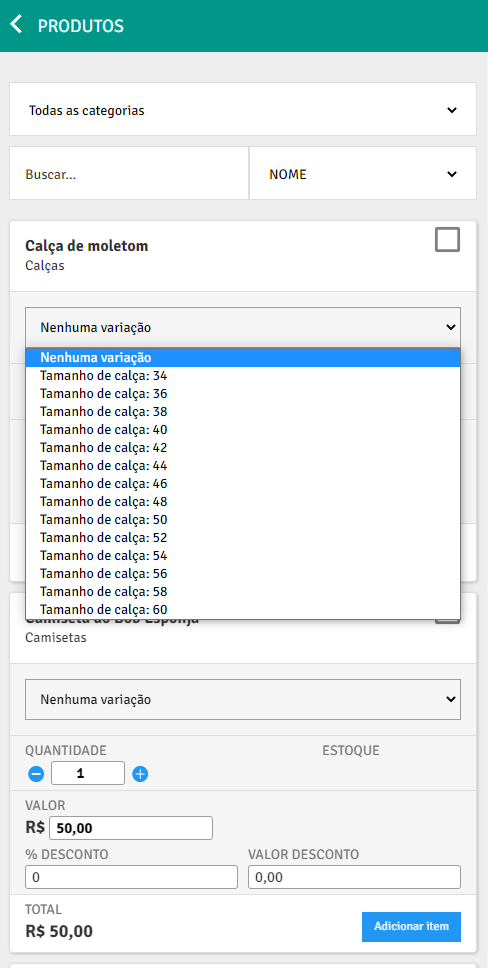
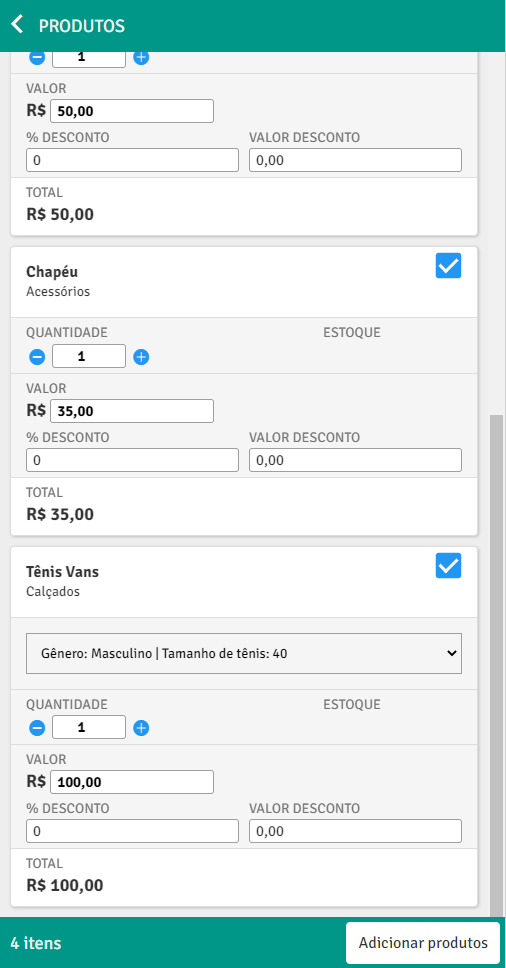
In this article we will teach you how to add product variations to the item registration in PlugSales.
Note: If you don’t know what variations are or how the product grid works, see this article.
You will notice that when saving the settings on the Product Grid tab, the Order tab remained open, this is because new parameters will be available for you to insert into SQL to insert items into the order, as in the following example:
To better understand the parameters that were made available, let’s use this example:
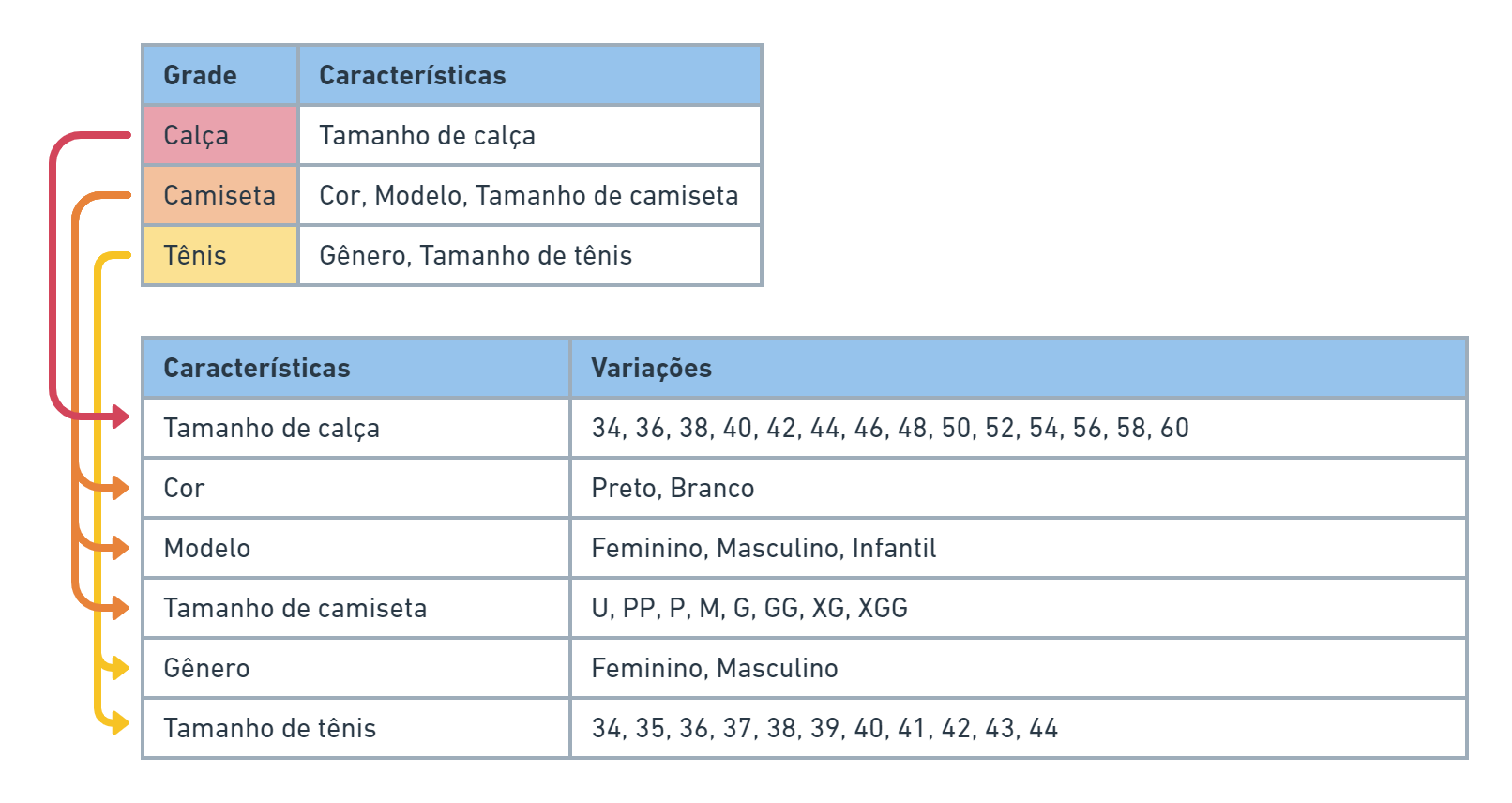
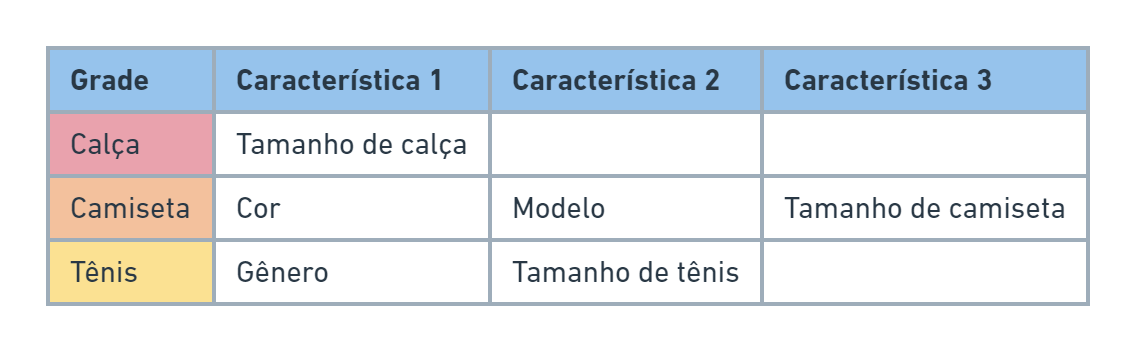
We see that for this example, each produto will have a maximum of 3 types of characteristics:
And in PlugSalesall sets of variations will be mapped and listed in the respective products:
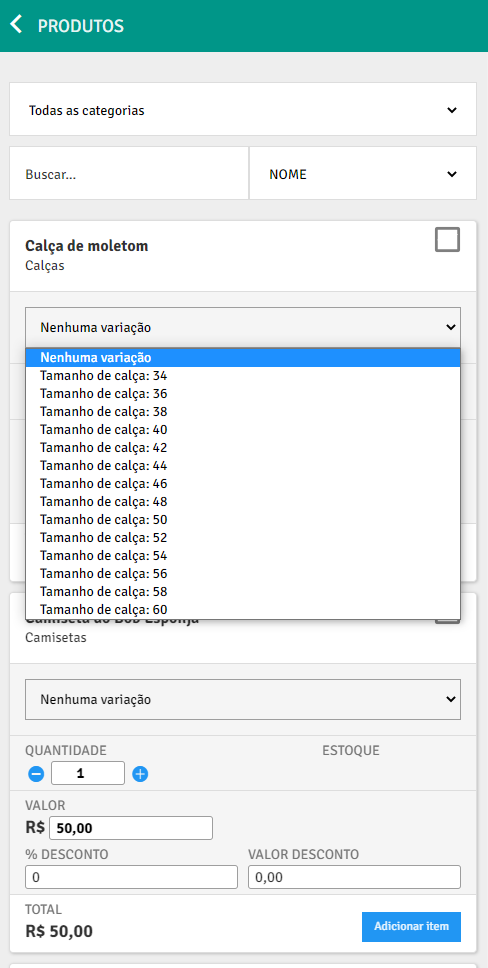
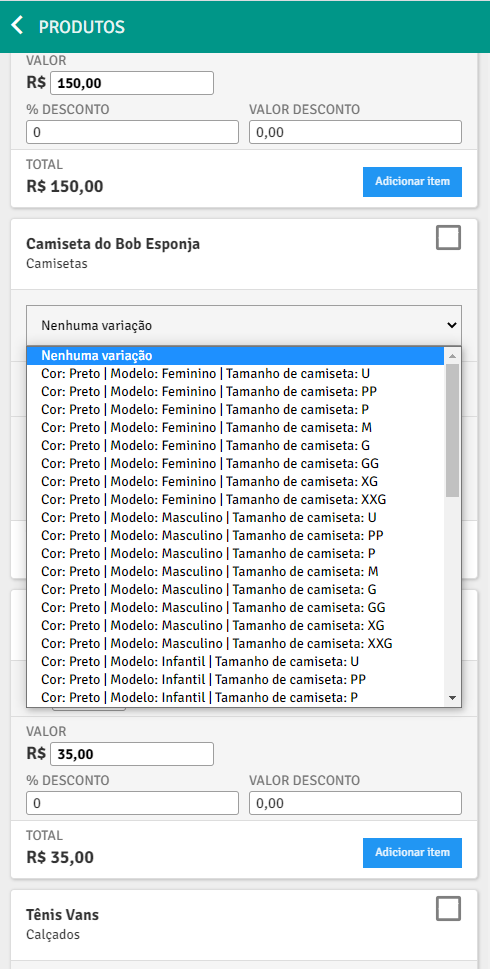
Note:Note that the number of variations listed in each option varies according to the grade related to the product, that is, if a grade has 1 characteristic each option will have only one variation for the product. And for this example, new parameters will be available in SQL to insert items into the order**:

- ID_GRADE (text)
- This parameter returns the *ID of the product range *that is linked to this item.
- The default value for this parameter is -1.
- ID_CHARACTERISTICA_1 (text) and ID_VARIACAO_1 ***(text)
- ID_CHARACTERISTICA_2 (text) and ID_VARIACAO_2 (text)
- These parameters return, respectively, the ID of a characteristic and the *ID of a variation *that was selected for the item.
- The parameter ID_VARIACAO_1 contains the ID of a variation related to the characteristic with the ID returned in the parameter ID_CARACTERISTICA_1, and so on respectively for the other parameters.
- The default value for these parameters is -1.
The number of parameters of type ID_CHARACTERISTICA_X and ID_VARIACAO_X (with
Example
Section titled “Example”For this example, we will use this relationship between tables:
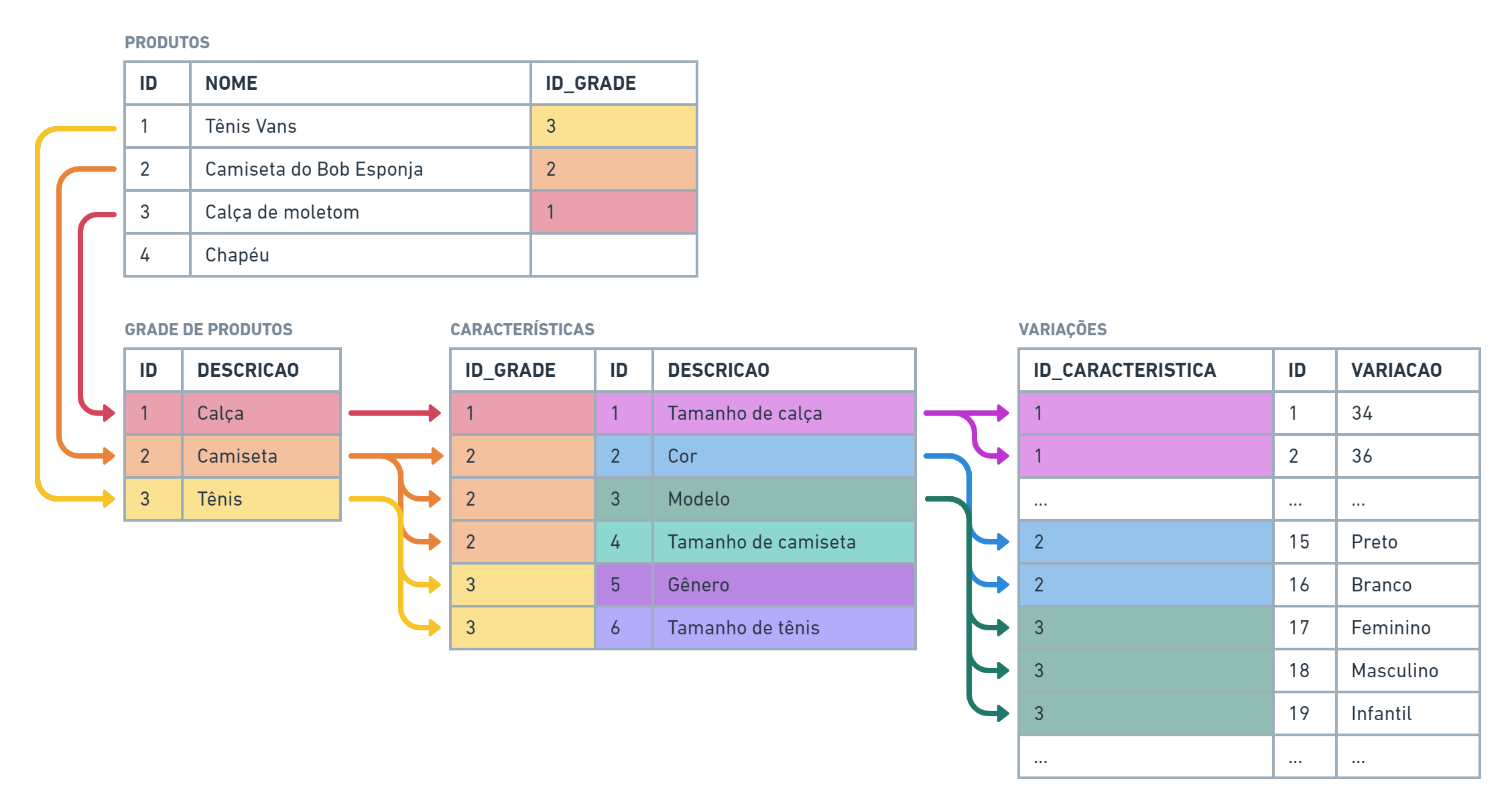
And this will be our** SQL for inserting order items**:

Now, let’s add an order to PlugSaleswith the following products:
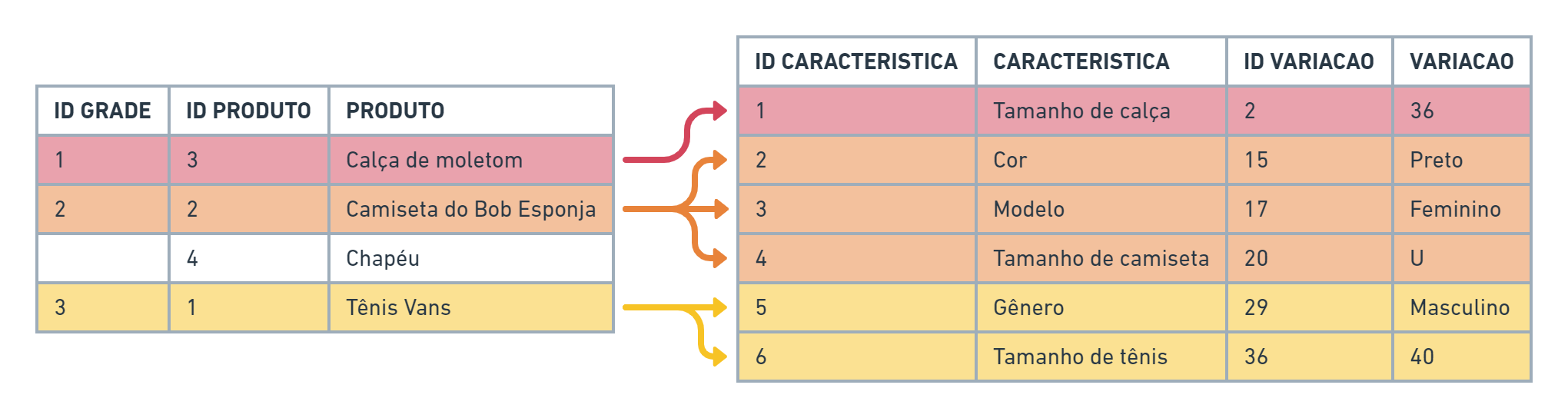
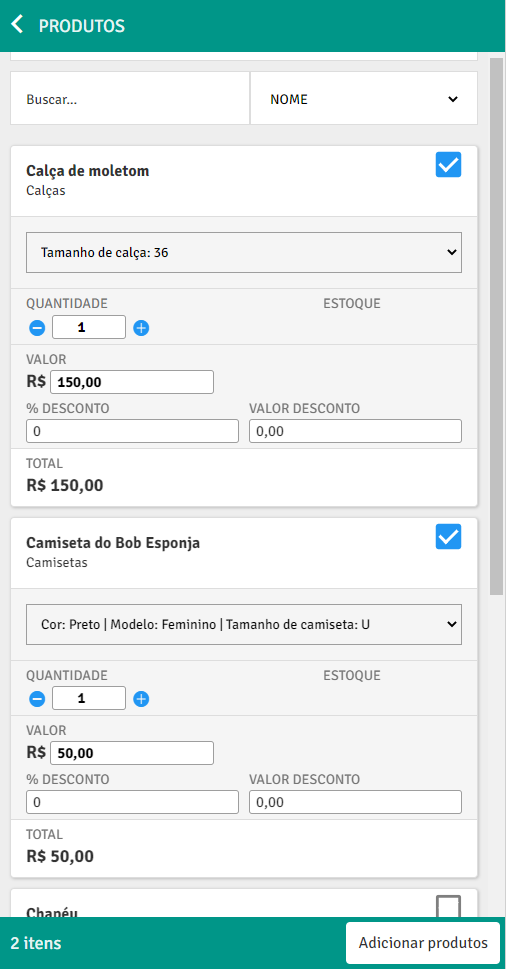
After PlugBot synchronizes this order, the resultado of the items inserted in the bank will be this:

Note: See that for items that do not have 3 variations, the fields are filled with the value -1.