How does the product grid work? (PlugSales)
The product grid is a resource that will allow you to sell the same product with different characteristics.
Note: The Product Grid cannot be used with Price Tables.
You will be able to map different grid models, combining different characteristics and relate them to your products. This way, it will no longer be necessary to register the same product several times just because, for example, the product has a variety of sizes.
Let’s use a clothing store as an example, which has these 3 grid models with these respective characteristics and variations:
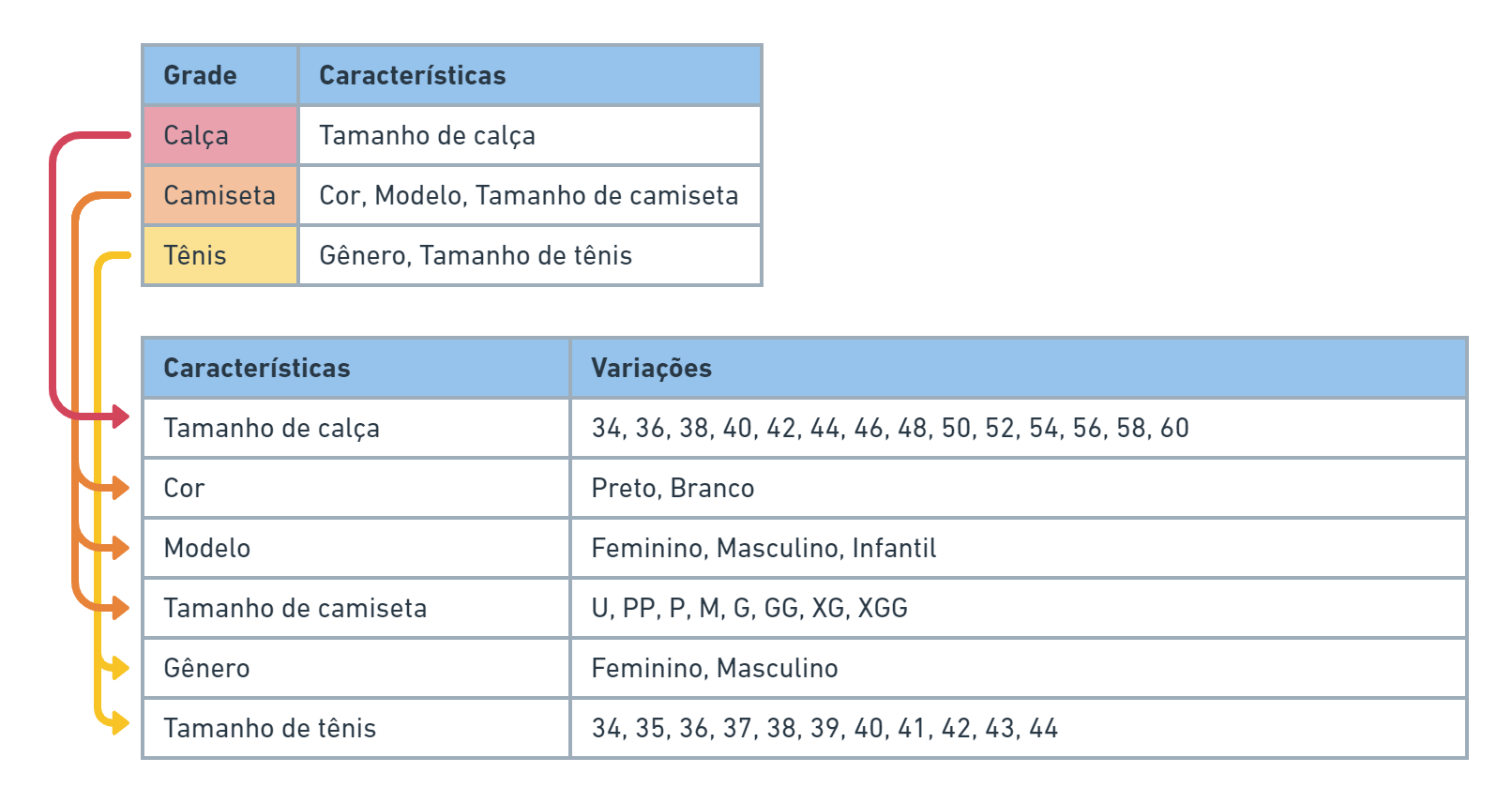
In other words, for each product category, a X number of characteristics will be listed, and each characteristic will have a Y number of variations for the product.
For this example, we could have a relationship between tables in this format:
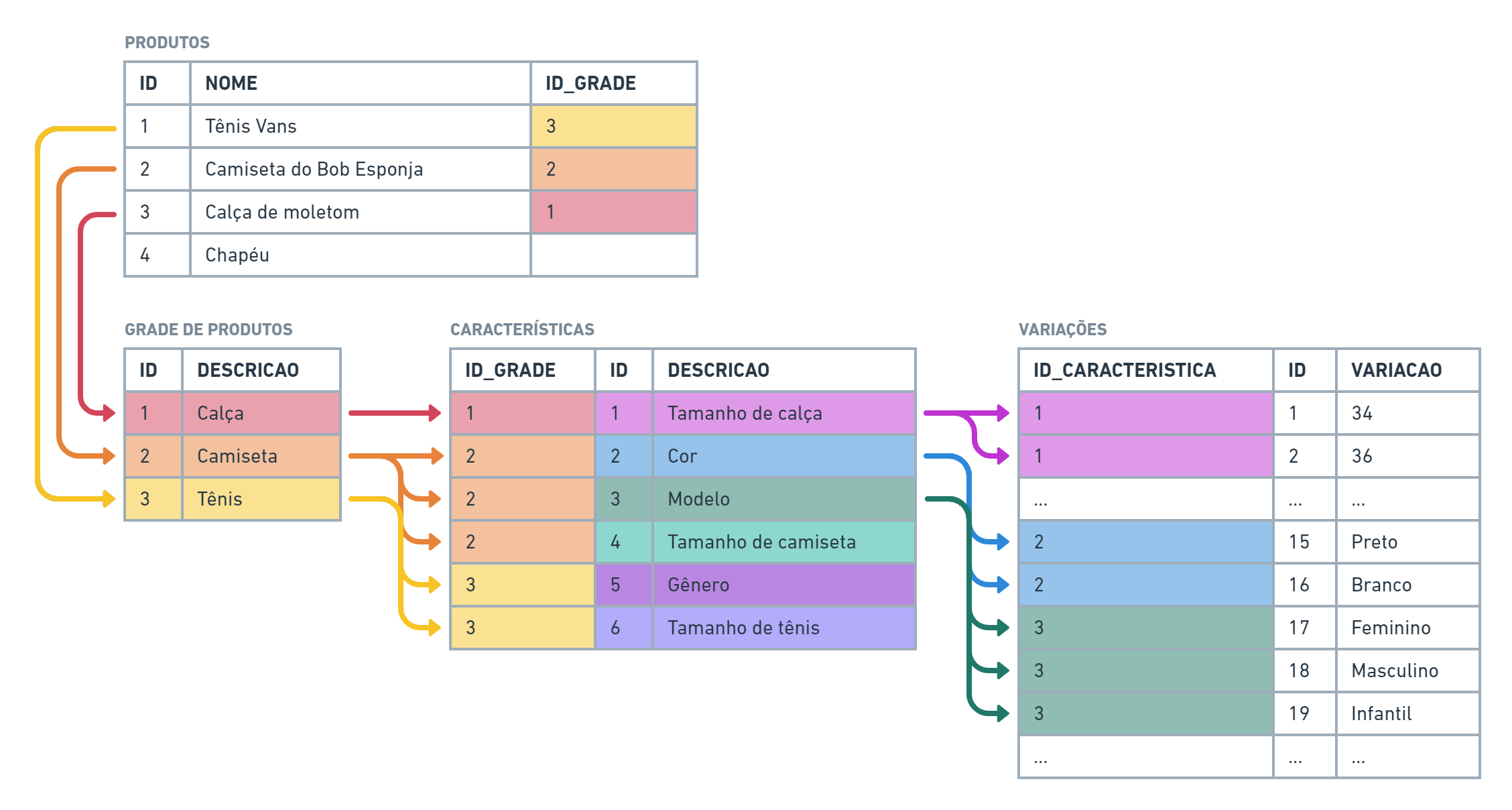
Each product can be linked to a single product category, or as in the *Hapéu example, *not have a related category.
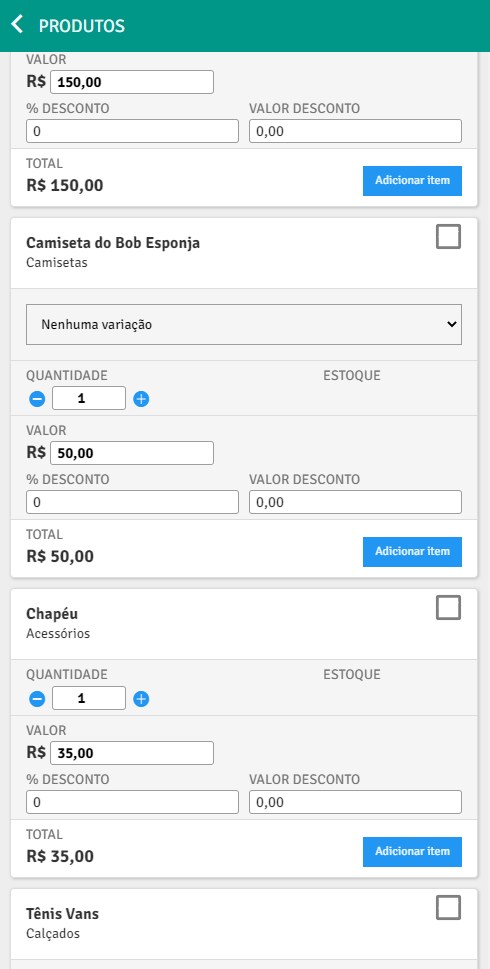
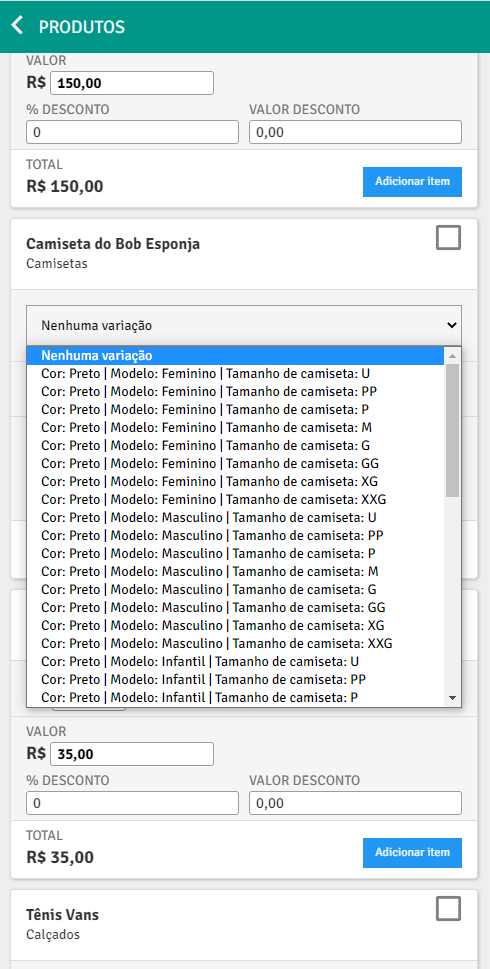
When mapping this data, the result you would get in PlugSales would be this:
—
Configuring the product grid in PlugBot
Section titled “Configuring the product grid in PlugBot”**To use the product grid, we must first activate this option in our PlugBot. To do this, access ** Settings ** and enable the option ** Use product grid?
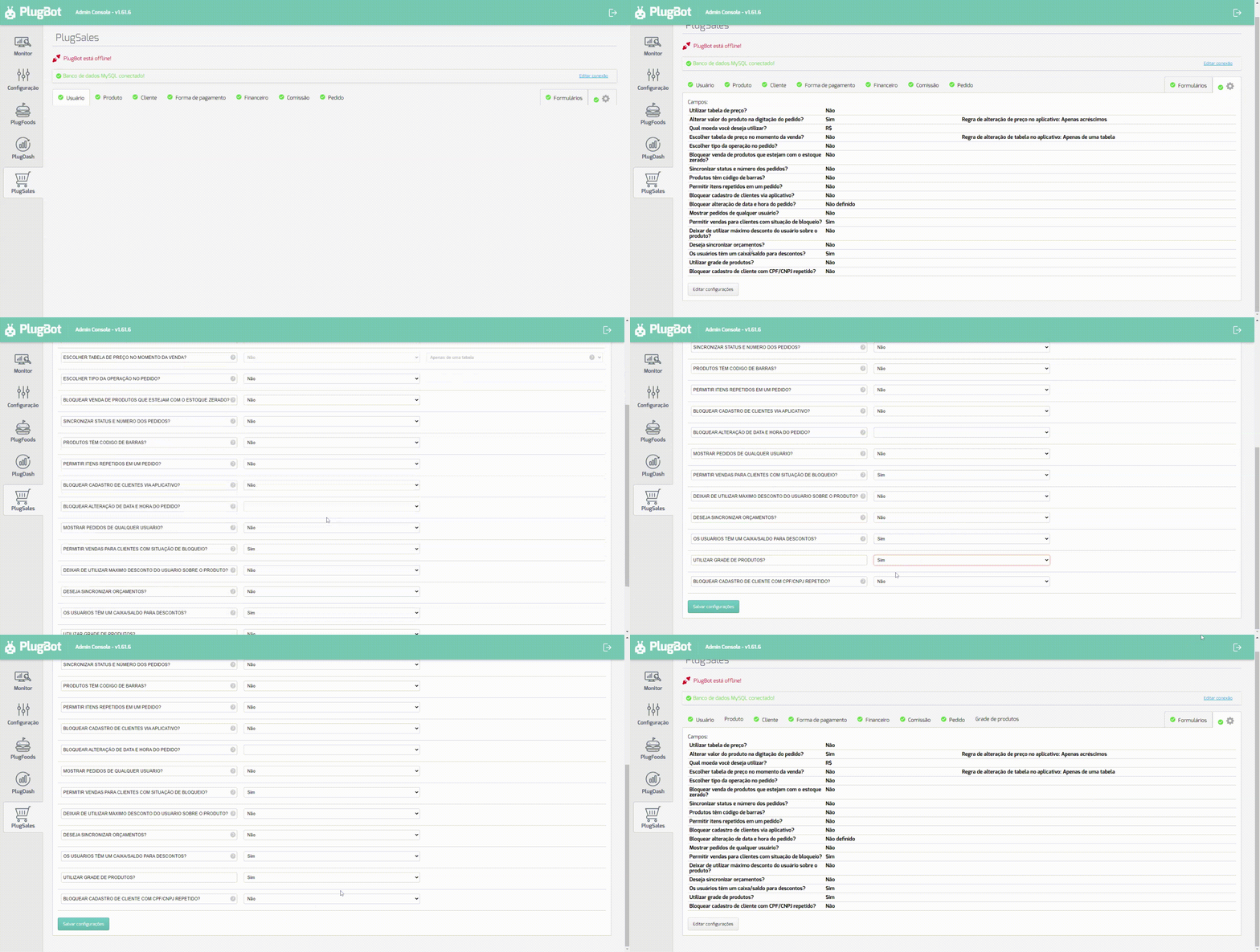
Once this is done, the Product Grid tab will be available for mapping.
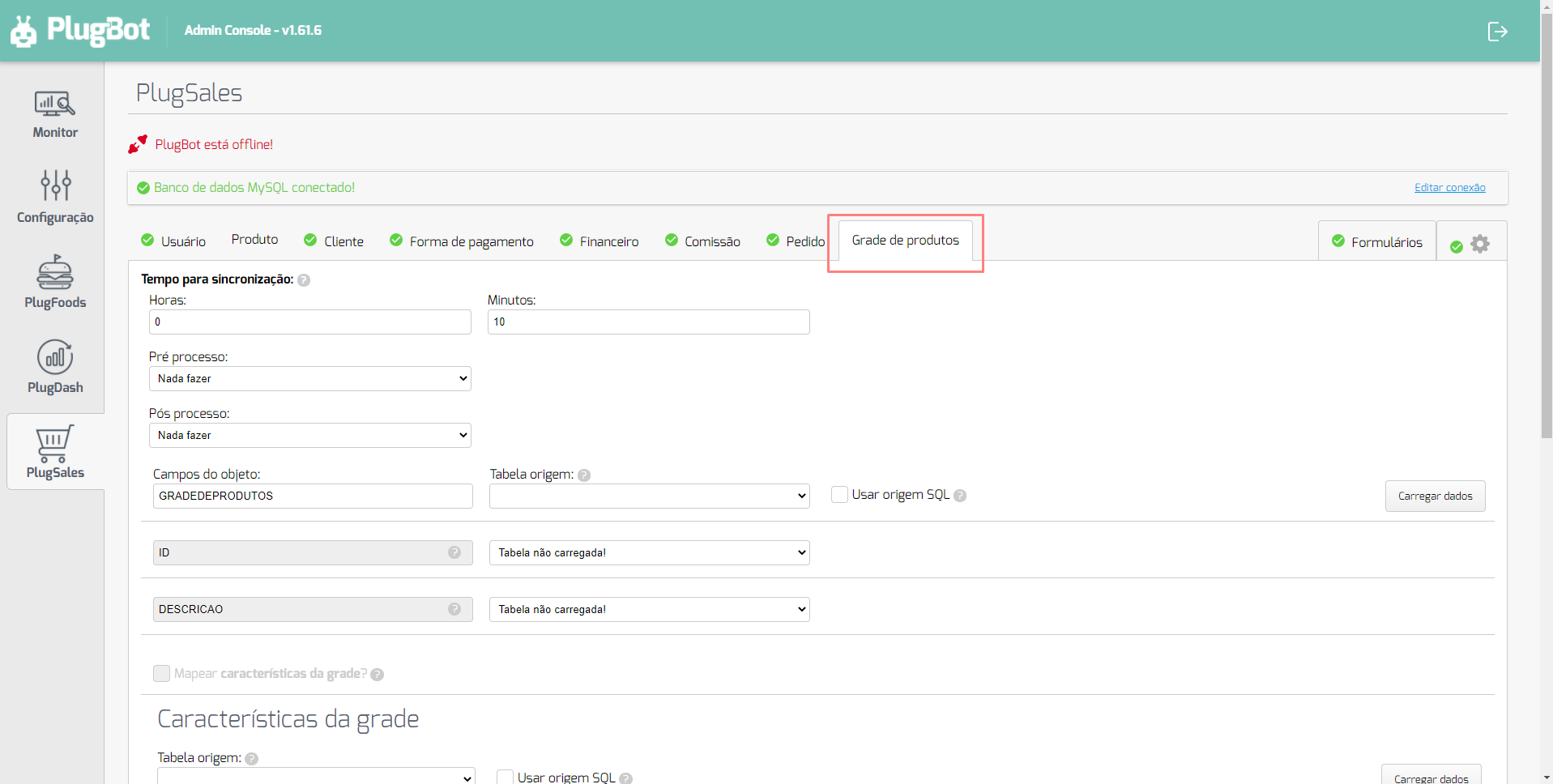
Note: If you haven’t yet mapped the product grid, see this article.
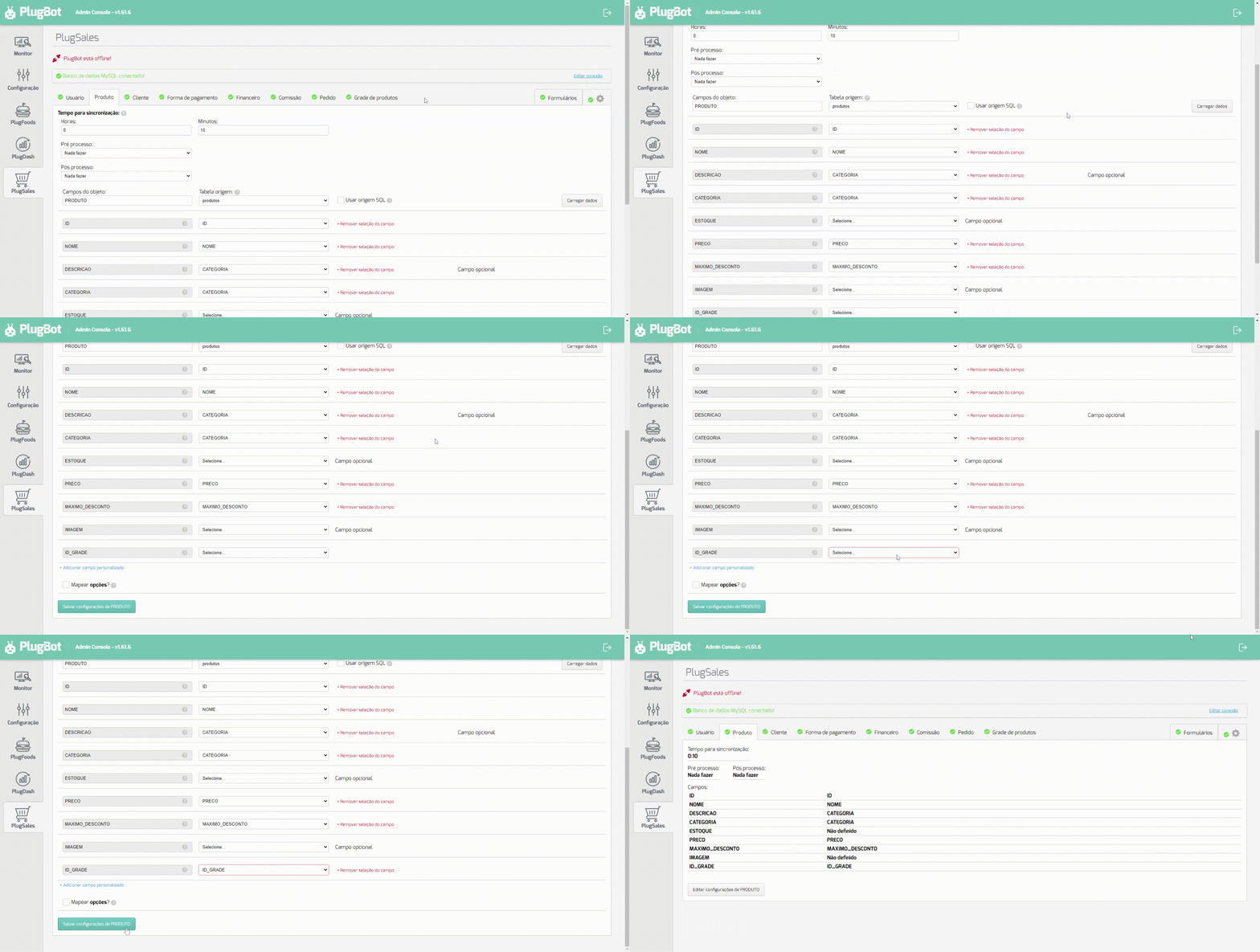
After mapping the Product Grid, you can notice that the Products tab is open, this is because it is necessary to relate the products that have variations to their respective grids.