

How to map product grid? (PlugSales)
After performing the integration with your database and enabling the option to use the product grid in the Settings Tab, the next step is to map the grids that will be available in your PlugSales application.
Note: If you still don’t know how product grids work, see this article.Note: The Product Grid cannot be used with Price Tables.
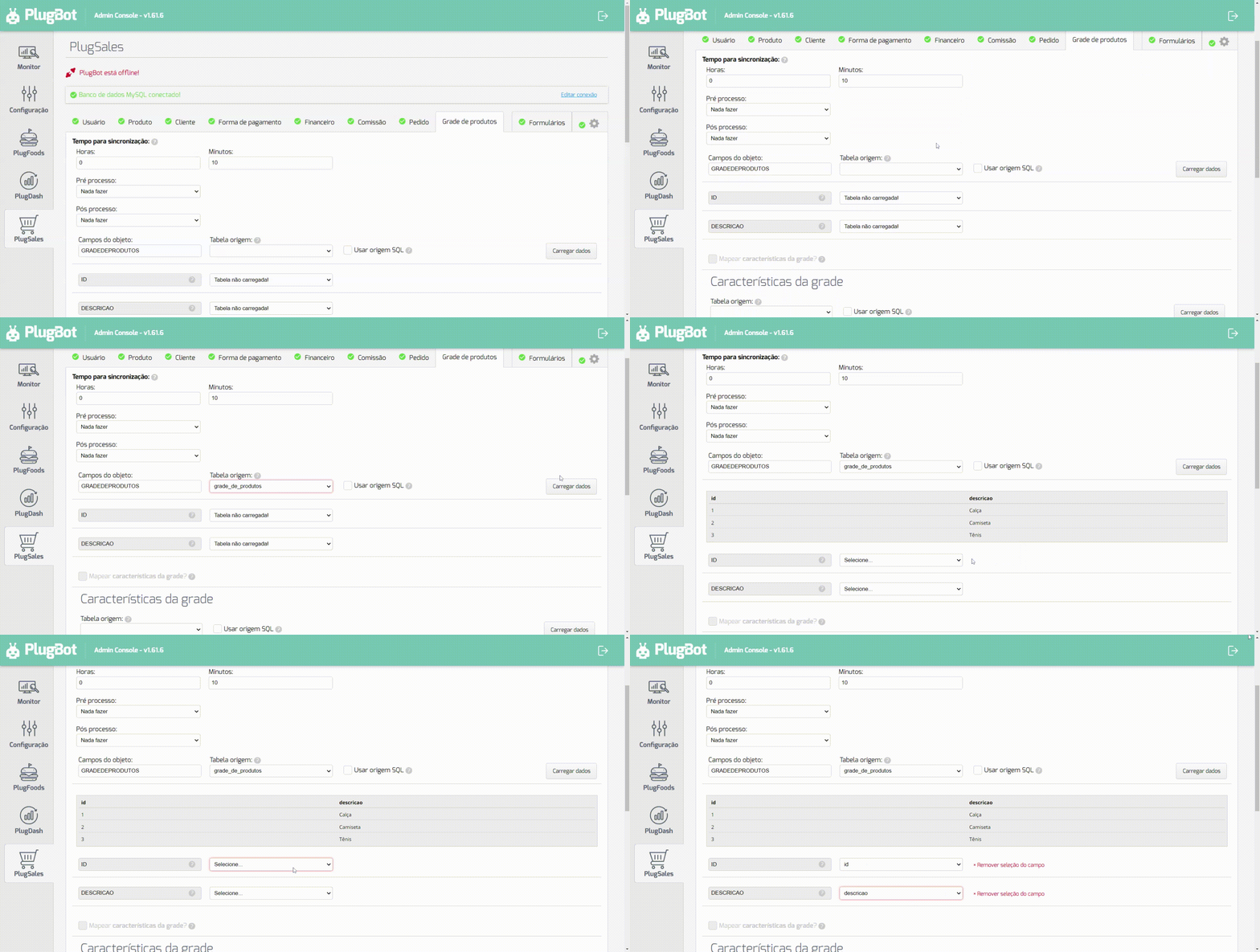
To map PlugSales Product Grids, each record must have the following fields:
- ID
- Numeric field of type inteiro. This field will be returned in the order item as ID_GRADE.
- DESCRIPTION
- texto field with the description of the product range.
After selecting the Source Tableor entering the SQL Source, click Load data.
With the data loaded, you can begin the field mapping process, following the instructions for each field.
Next, we will map the Characteristics that will be assigned to the product ranges.
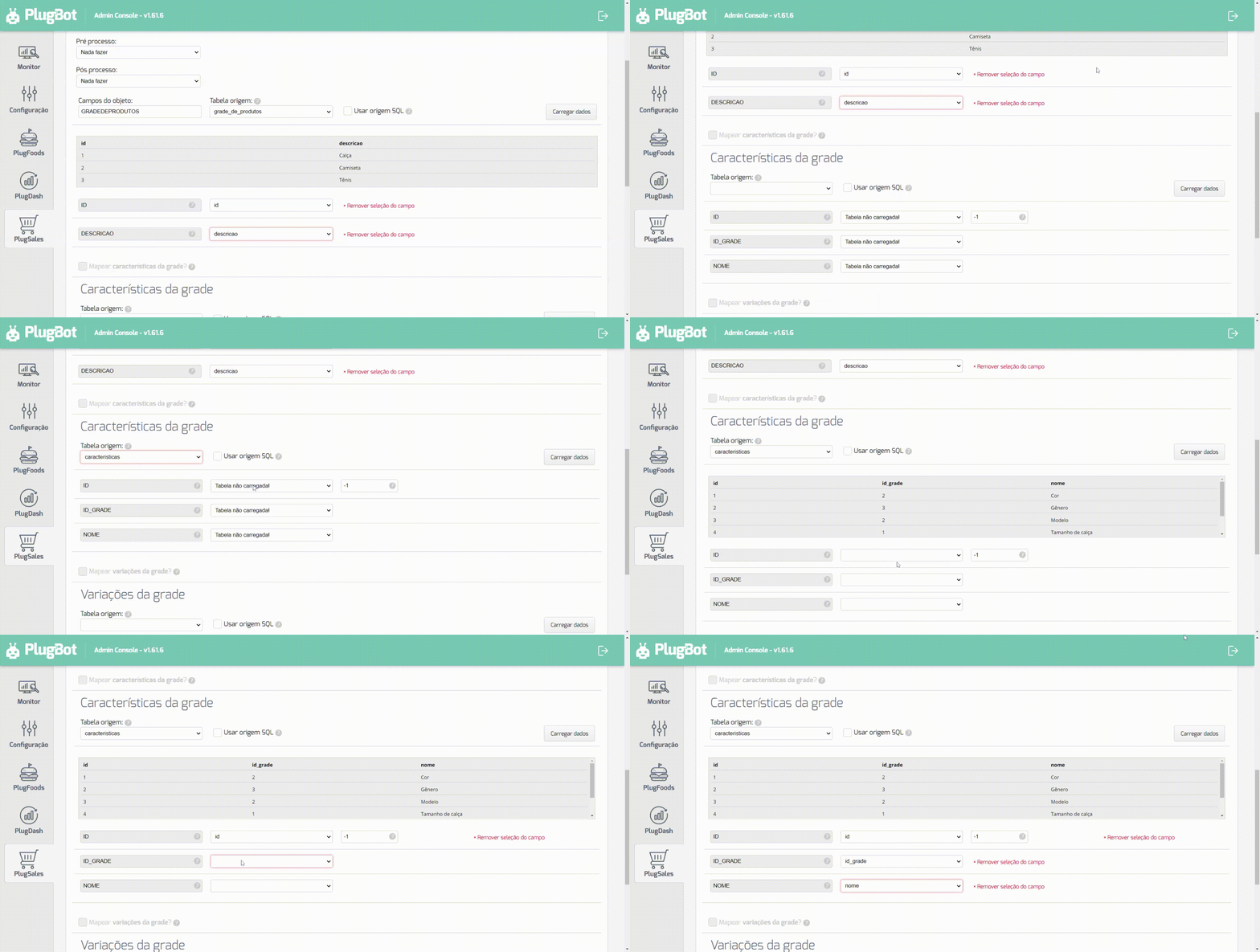
To map product grid characteristics, each record must have the following fields:
- ID
- Numeric field of type inteiro that identifies the characteristic.
- ID_GRADE
- Numeric field of type inteiro that identifies the grid to which this characteristic belongs.
- NAME
- texto field with the name of the characteristic.
After selecting the Source Tableor entering the SQL Source, click Load data.
With the data loaded, you can begin the field mapping process, following the instructions for each field.
Next, we will map the Variations that will be attributed to the characteristics of the product ranges.
To map variations of a characteristic, each record must have the following fields:
- ID
- Numeric field of type inteiro that identifies the variation.
- CHARACTERISTICA_ID
- Numeric field of type inteiro that identifies the characteristic to which this variation belongs.
- VARIATION
- texto field with the name of the variation.
After selecting the Source Tableor entering the SQL Source, click Load data.
With the data loaded, you can begin the field mapping process, following the instructions for each field.
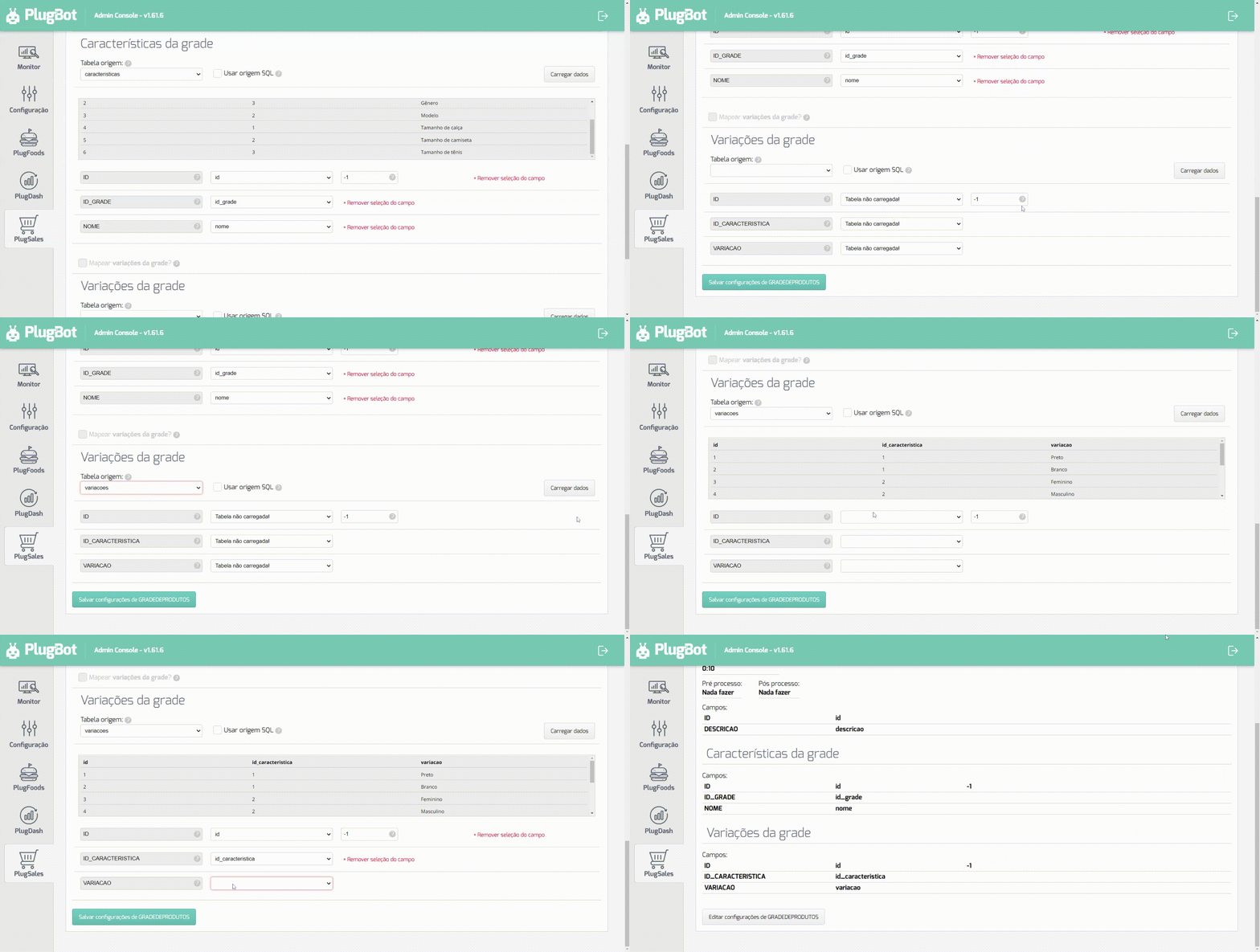
With all fields mapped, click Save PRODUCTGRID Settings at the bottom of the screen.