

How to unlink Customers from Users? (PlugSales)
Customers that are linked to users can only be viewed by a single seller to which they are linked. To remove the link, it is necessary to access PlugBot in the “Customers” tab and remove the link.
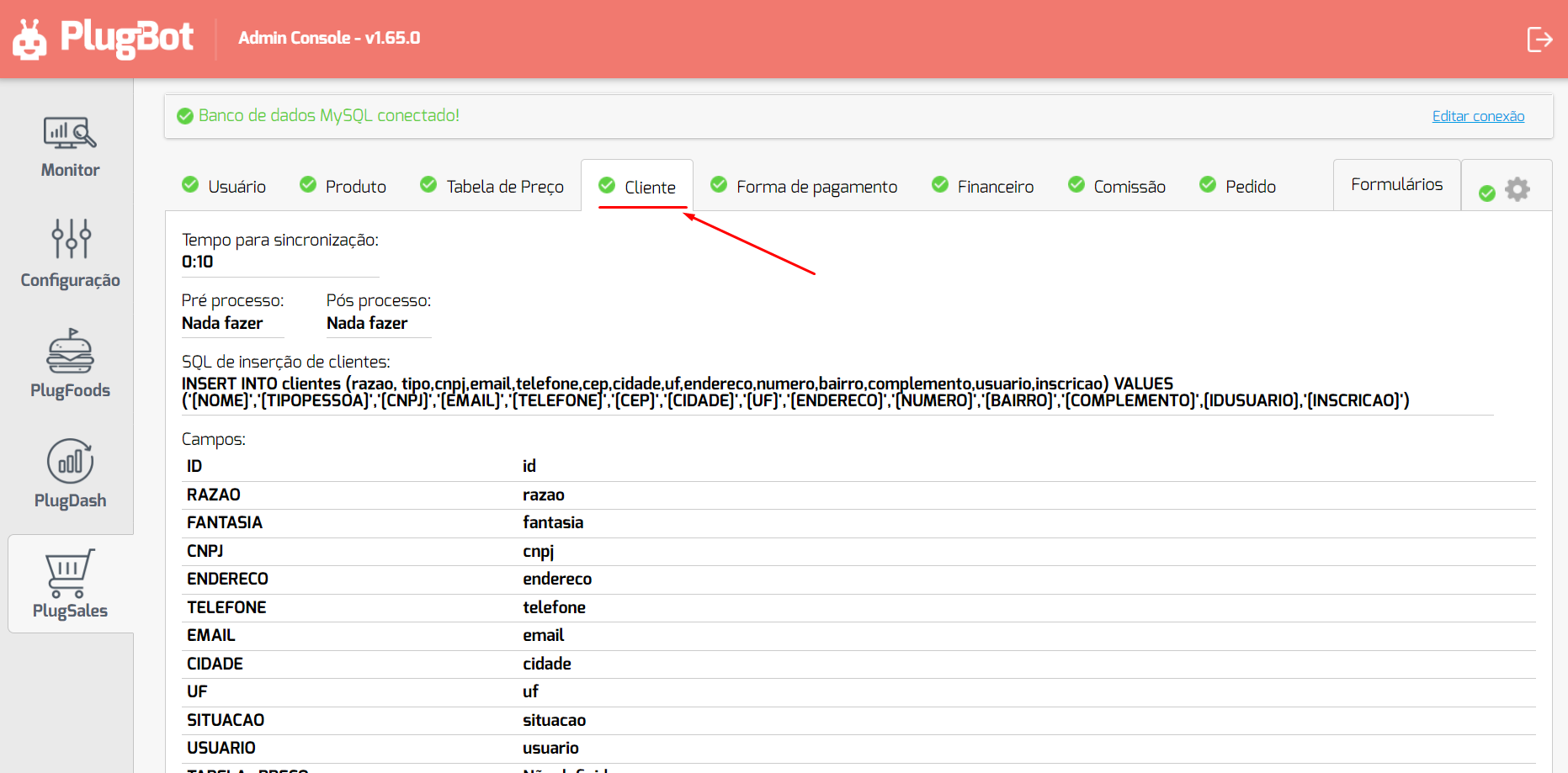
To do this, access PlugBot in the Customers tab:
After that, go to edit and click on “Remove field selection” in the “USER” link
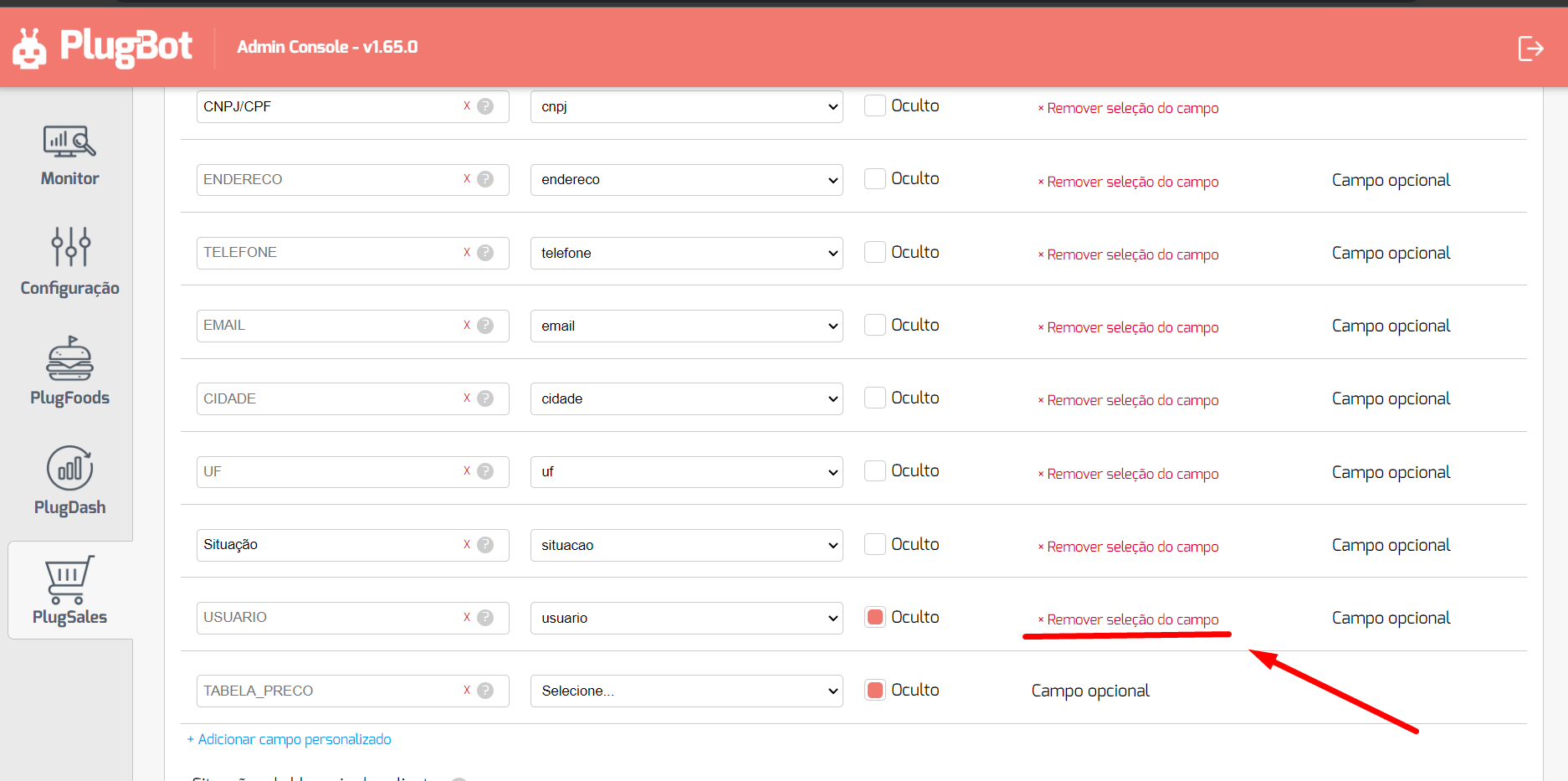
So after that, just save, delete the CSV-DATA folder located inside the PlugBot installation directory (C:\Program Files\PlugBot\8088) and restart the PlugBot service.