

How to link payment methods with customers? (PlugSales)
If your company works with specific payment methods for each customer, you can configure this filtering in PlugBot!
By doing this, the seller will be able to issue payments using only the payment methods authorized for each customer.
Learn how to associate Payment Methods and Customers by following the steps below.
Step by step
Section titled “Step by step”To link payment methods with customers, go to the payment methods tab and select the option “Map customers”.
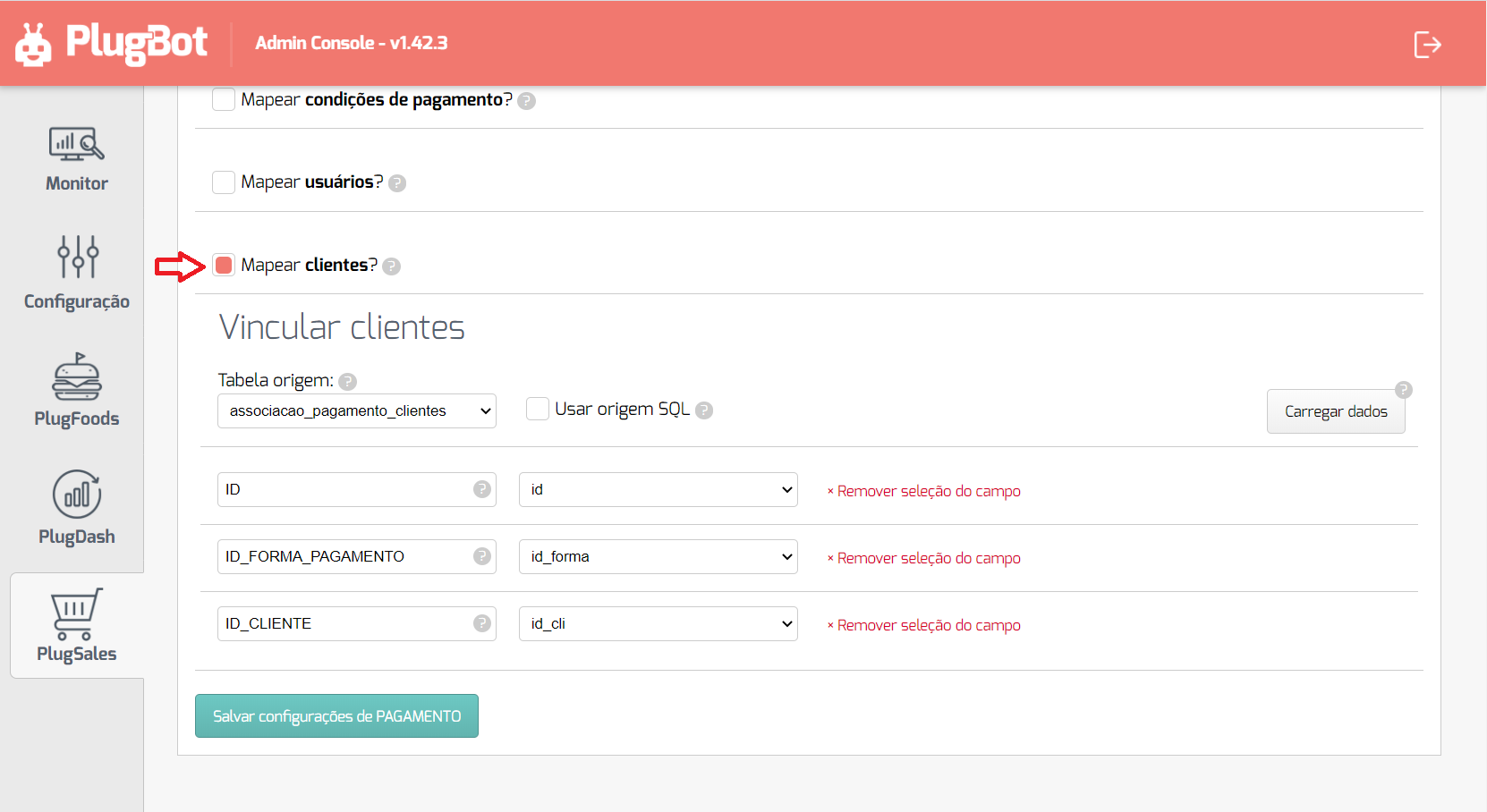
After selecting the Source Tableor entering the SQL Source, click “Load data”.
With the data loaded, you can begin the field mapping process, following the instructions for each field.
Each record must have the following fields:
- ID
- Numeric field of type inteiro that identifies the link between the payment method and the customer.
- PAYMENT_FORM_ID
- Numeric field of type inteiro with the payment method ID.
- CLIENT_ID
- Numeric field of type inteiro with the customer id.
Integration example
Section titled “Integration example”So that you understand how the link between Payment Methods and Customers in practice works, we put together a small relacionamento diagram that will occur between the mapped data:

See an example of dados that could be mapped during this link:
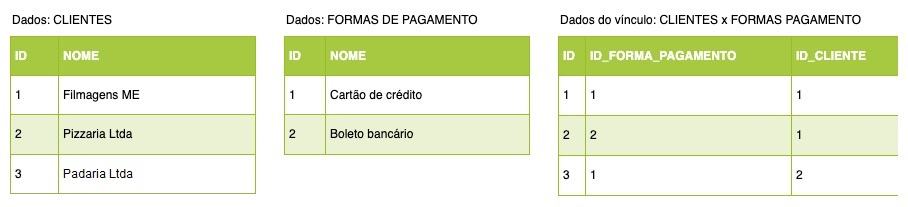
In the example, the client Filmagens ME (ID: 1) and Padaria Ltda (ID: 3) may have orders issued with two payment methods mapped, either Credit Card (ID: 1) or Bank Slip (ID: 2), because when a customer is not linked to any payment method they will automatically have access to all mapped payment methods.
The customer Pizzaria Ltda (ID: 2) can have orders issued only by Credit Card (ID: 1).
This restricted access is due to the third table in the data example, which has two records associating customer ‘1’ with payment methods ‘1’ and ‘2’, while there is only one record associating customer ‘2’ with payment method ‘1’.
If you need to associate Payment Methods with your sellers, this article teaches you how to do this!