

How does order synchronization work on PlugSales?
Orders made through the application are automatically synchronized when there is an internet connection.
The valid connection to perform synchronization can be WiFi or mobile network (3G/4G/etc).
You can configure whether data export should only be done via WiFi or via any mobile network by changing the app’s settings.
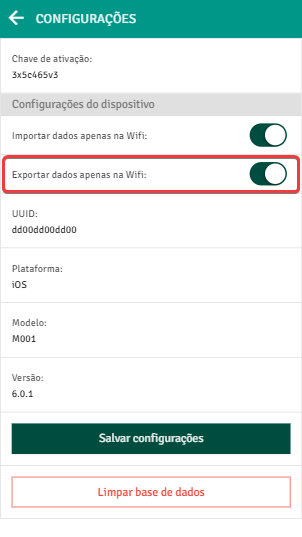
When PlugSales detects that there is a valid connection to synchronize orders, the data in the application begins to be transferred to the PlugMobile Cloud.
When this data is received in the Cloud, the application will display that the order status is “Synchronized”.
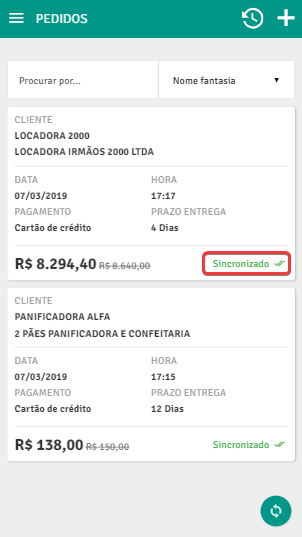
**Note: **The “Synchronized” status does not mean that the order has already been entered into your system’s database, it just means that the order has already been sent from the application to the Cloud.
After data synchronization with the PlugMobile Cloud, PlugBot comes into action.
If there are new orders, PlugBot searches for this data and inserts it into its database.
When the insertion is complete, the procedure returns to the beginning, checking whether there are new orders to be imported to ensure order synchronization in real time.