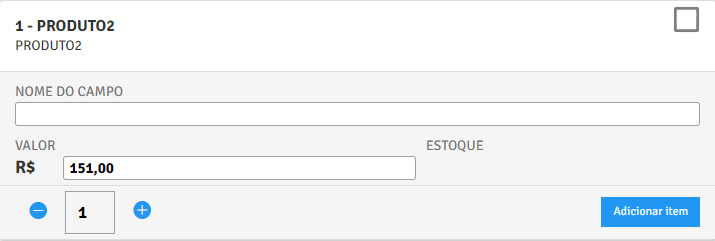
How to add custom fields to order product? (PlugSales)
How can I create a new field in my product to be filled in when placing the order?
See this article on how to create this field.
To enable a field, access the order tab, and click on the ‘Add custom field for order items (input)’ field right after the ‘SQL to insert items into the order’ field
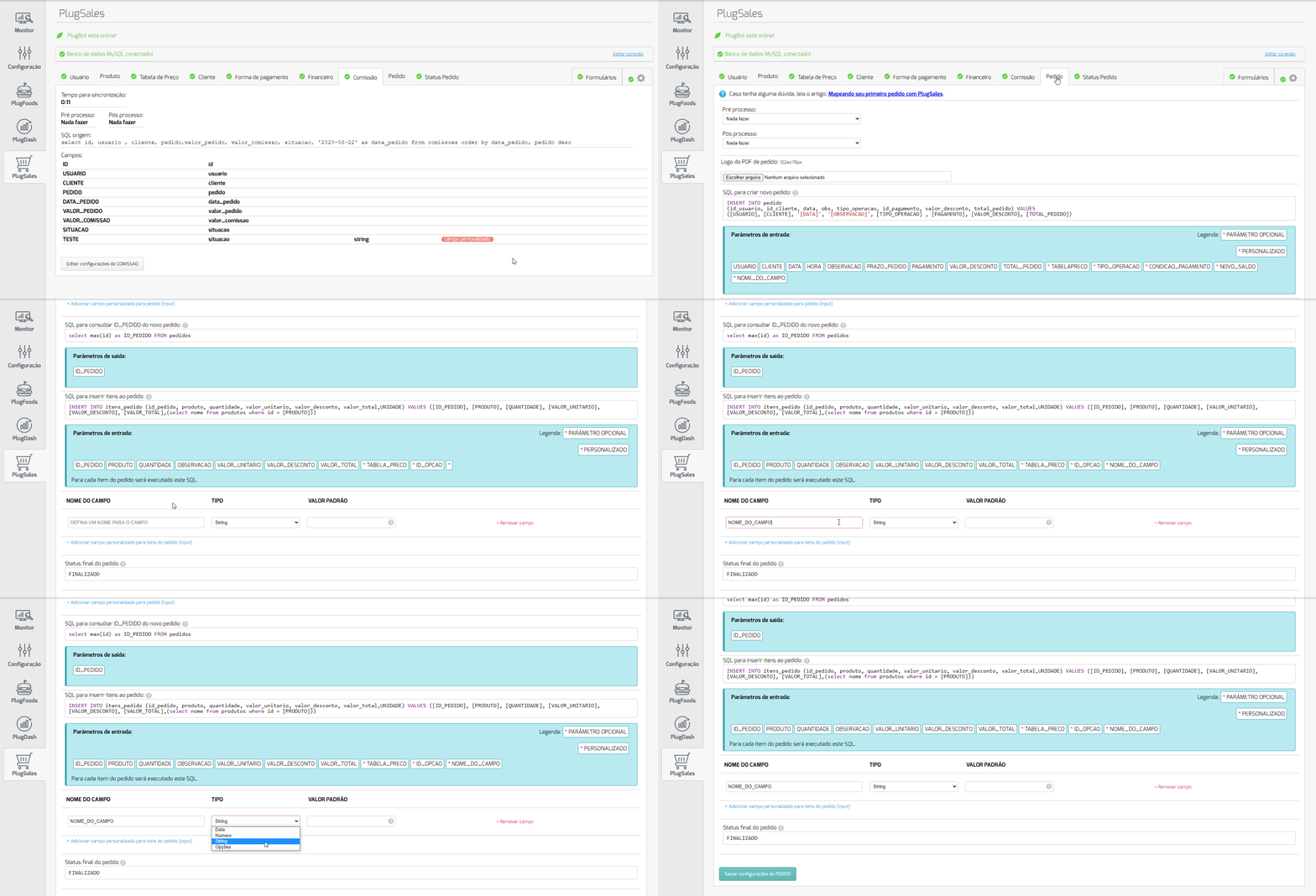
Field name:
Section titled “Field name:”In this field you will add the NAME you want for your new field. This name will be displayed in the application.
Types:
Section titled “Types:”Type: “Date”:
Section titled “Type: “Date”:”This field will be displayed in calendar format in the application, allowing the user to select a valid date.
Type: “String”:
Section titled “Type: “String”:”This field will be free to type in the application. It will allow the seller/user to fill in any information in the field, whether letters or numbers.
Type: “Number”:
Section titled “Type: “Number”:”This field will allow the seller/user to fill in numeric data only. The field will not accept letters or characters (with the exception of commas and periods).
Type: “Options”
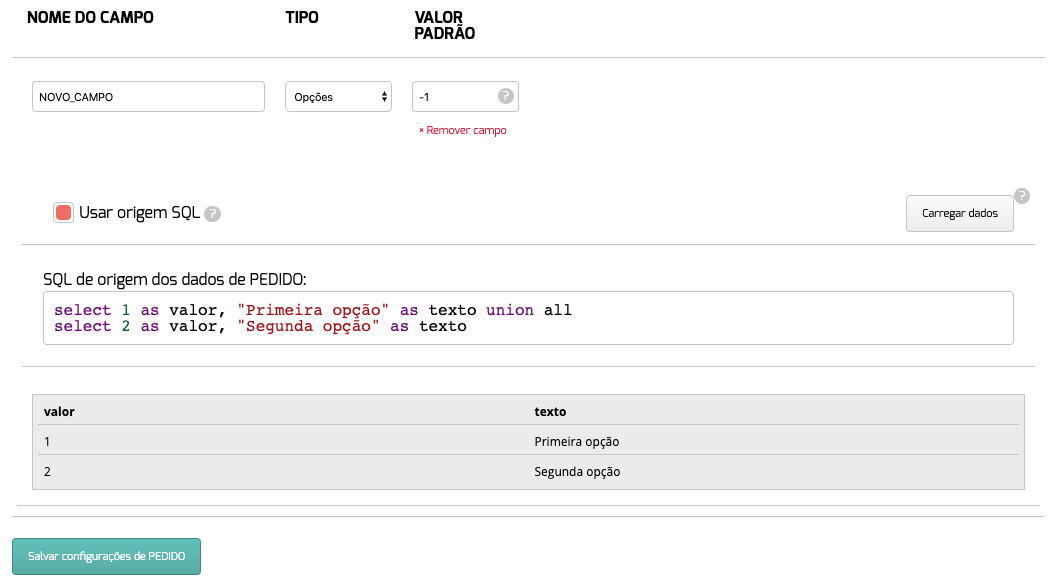
Section titled “Type: “Options””If you want to create a custom selection field in PlugSales, you can select the Options type and then configure the collection of data that will be shown as selectable options in the application.
The data must be records that,obrigatoriamente, have two properties:
- value: this property will be used in PlugBot to replace the insert parameter of a request.
- text: this property will be used in PlugSales to show the user which option they can select.
In PlugBot:
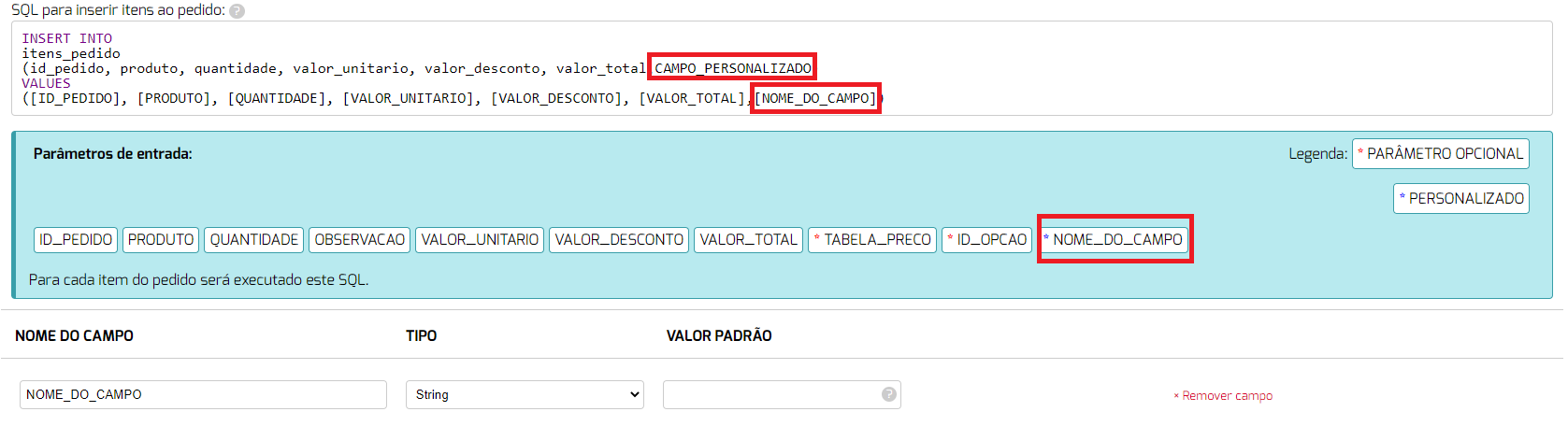
Once this configuration is done, you will be able to use the new parameter generated in the insert field of the order items:
Okay, now when placing an order it will be possible to add information in the added field.