

1. How to map users? (PlugSales)
After performing integration with your database, the next step is to map the users of your PlugSales application.
To map PlugSales users, each record must have the following fields:
* Attention, all fields are mandatory and must return records.
- ID
- Numeric field of type inteiro. This field will be returned in the request as USER_ID.
- Users cannot have identical IDs.
- User identifier in the application.
- NAME
- Field of texto. This field will be listed on the application login screen.
- User Login.
- PASSWORD
- texto field containing the user’s password. This password can be a natural value, that is, without encryption, but you can send it encrypted in MD5 or SHA-1, just select which type of encryption you are using.
- MAXIMUM_DISCOUNT
- Numeric field of type inteiro or real(float/decimal).
- This field is used to limit the maximum discount on the order.
- The field is represented as a percentage, that is, if the record is equal to 10, this user will be able to apply up to 10% discount on the order.
Note: For these fields to be reported correctly, we recommend creating a specific view and entering it in the PlugBot panel.
Read: Creating a view to map users
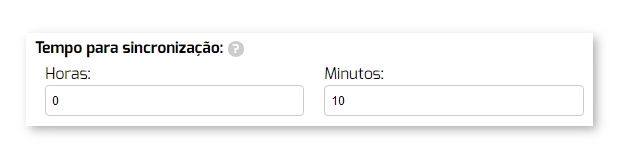
To start configuring users, define the interval at which PlugBot should synchronize user records from your system to your PlugSales.
After selecting the Source Tableor entering the SQL Source, click “Load data”.
With the data loaded, you can begin the field mapping process, following the instructions for each field.
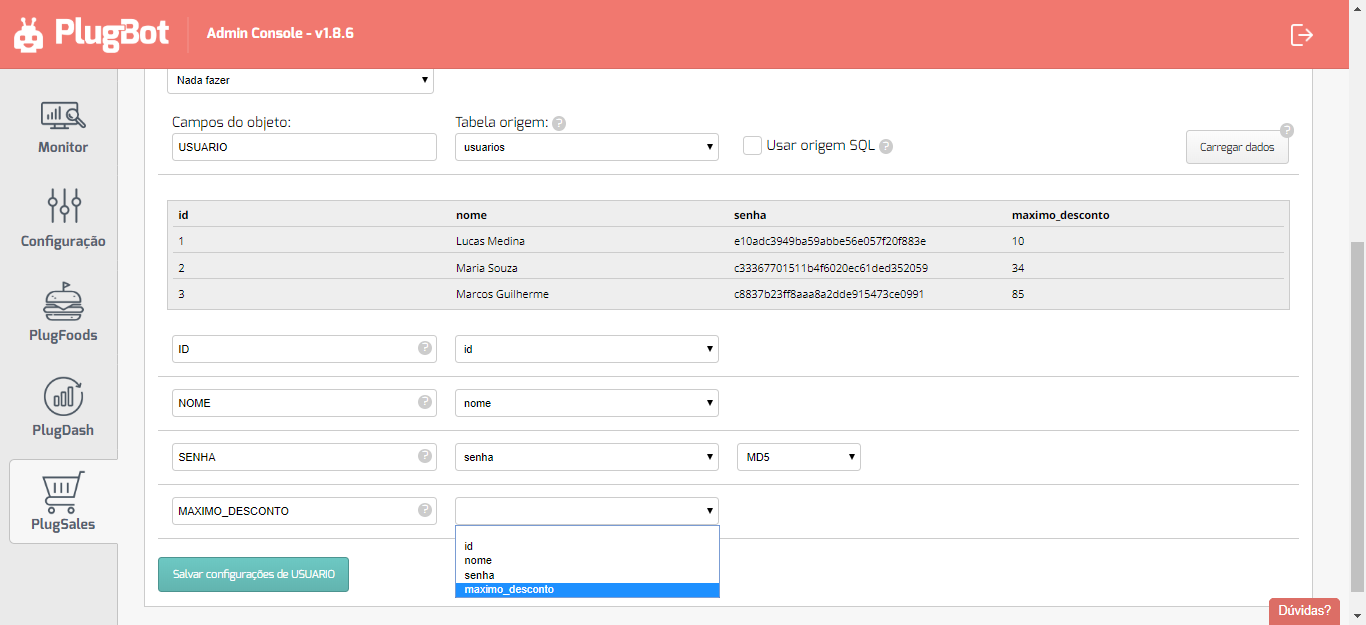
With all fields mapped, click “Save USER Settings” at the bottom of the screen.