

How to add custom fields to customer registration? (PlugSales)
This article aims to explain how to add custom fields to PlugSales customer registration.
In this article you will see:
- How to activate custom fields
- How to configure the Options type
- How to use the parameter in customer insertion
- How to use the field when registering through the application
How to activate a custom field
To add a new custom field to the PlugSales customer record, access PlugBot and follow the steps below:
- Access the Customers tab
- Click on the Add custom field (input) option
- Create the new field as needed
After activating the field, you will need to:
- Define a name for the field
- Select the type of data it will receive
- Set a default value (optional)
The default value will be automatically used if the user does not fill in the field in the application.

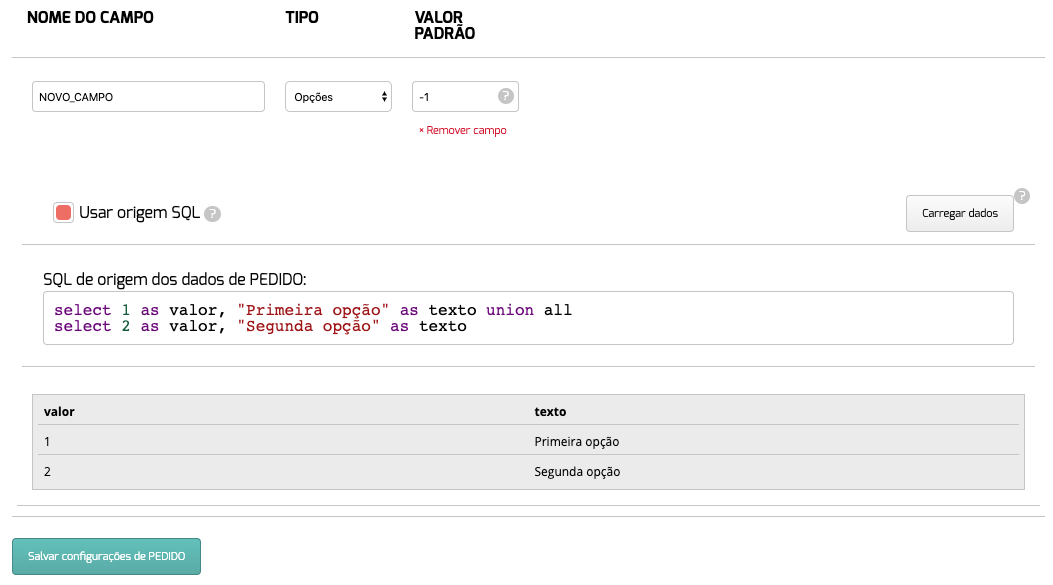
Type: Options
If you want to create a custom selection field, choose the Options option.
This type allows the user to select a value previously configured in the system.
To configure:
- Define the data source (table or SQL)
- The returned records must contain two properties
value: will be used by PlugBot to replace the parameter in the client insert.
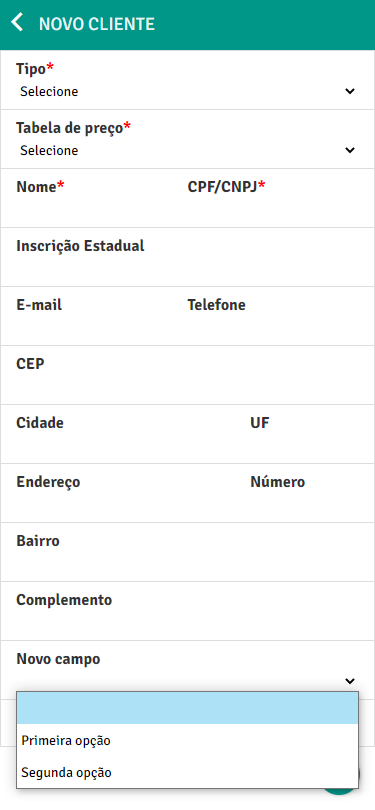
text: will be displayed in PlugSales for the user to view and select the option.
After configuring the origin:
- In PlugBot:
PlugSales:
Using the parameter in the client insert
After the custom field is created, a new parameter with the name defined for the field will be automatically generated.
This parameter must be added to the customer insertion SQL configured in PlugBot.

Thus, whenever a customer is registered and the custom field is filled in, the value entered will be sent to the database through this parameter.
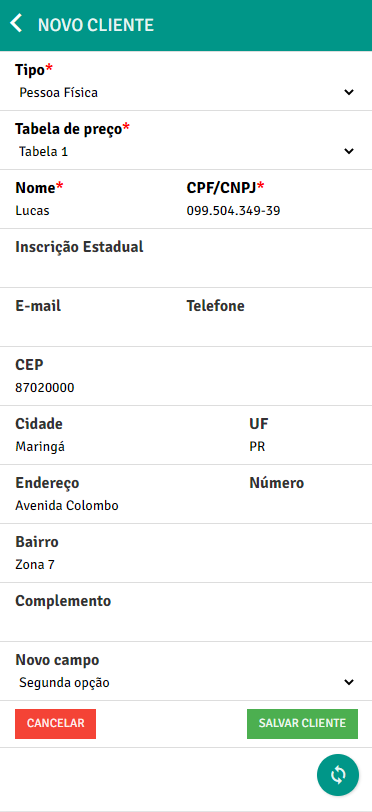
Using the field in customer registration
After completing configuration:
- The custom field will be displayed in the application’s customer record
- The user can fill in or select the information
- The amount will be sent to PlugBot
- The parameter will be applied to the customer insert
- The information will be recorded in the database
With this, it will be possible to add additional information to the customer register in a personalized way, according to the needs of the operation.