

9. How to Replicate Settings - PlugBot
IMPORTANT: Do not open the config files through Notepad. If you need to open it, use a code editor, such as Notepad++, Sublime, or Visual Studio Code. Because Notepad can corrupt the file.
PlugSales
Section titled “PlugSales”The process to replicate PlugSales settings from one PlugBot to another is very simple, just do the following:
Access the local folder where PlugBot is installed.
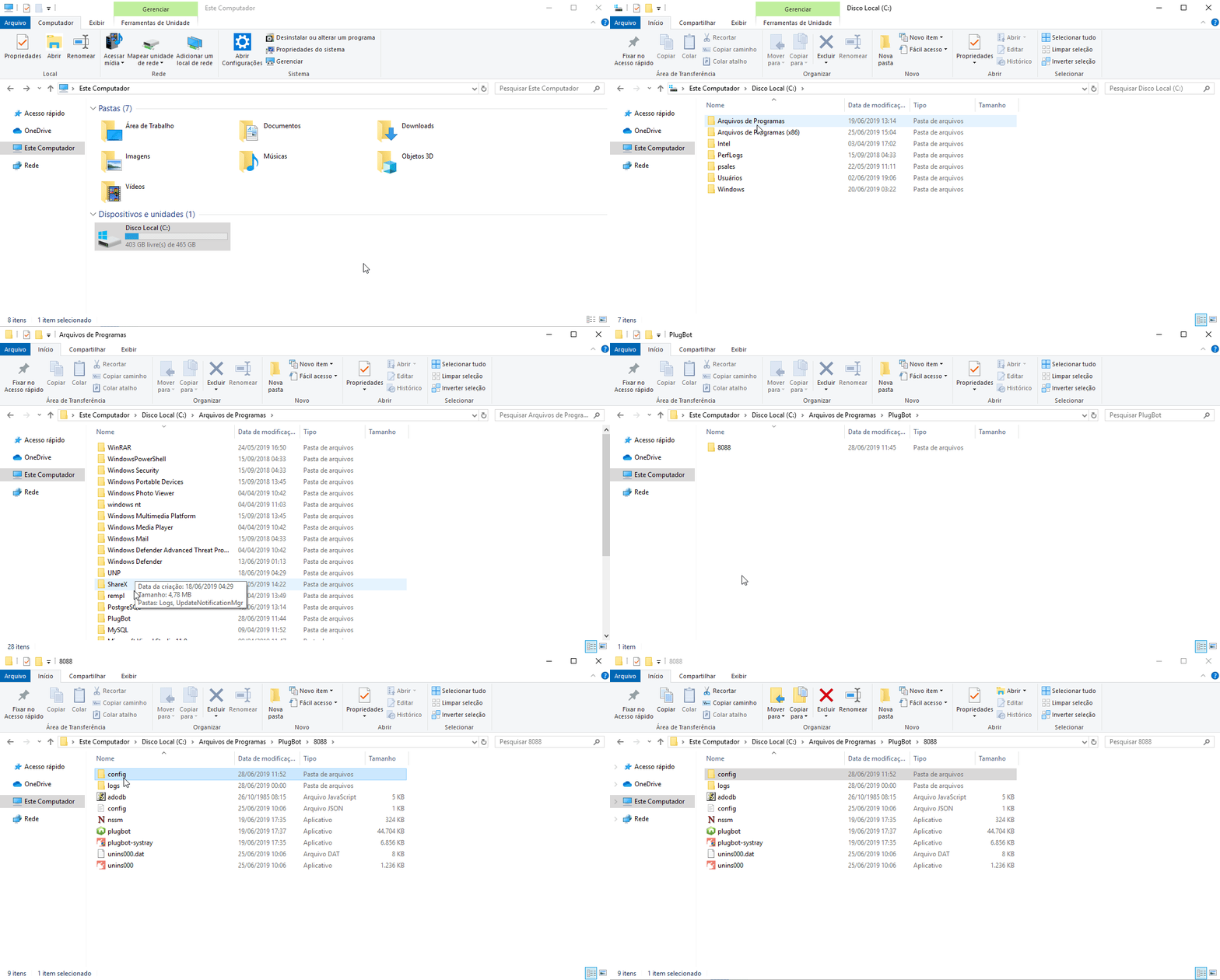
Then go to the config folder and copy all the files. Except licenca, plugpedidos_conexao and Started.
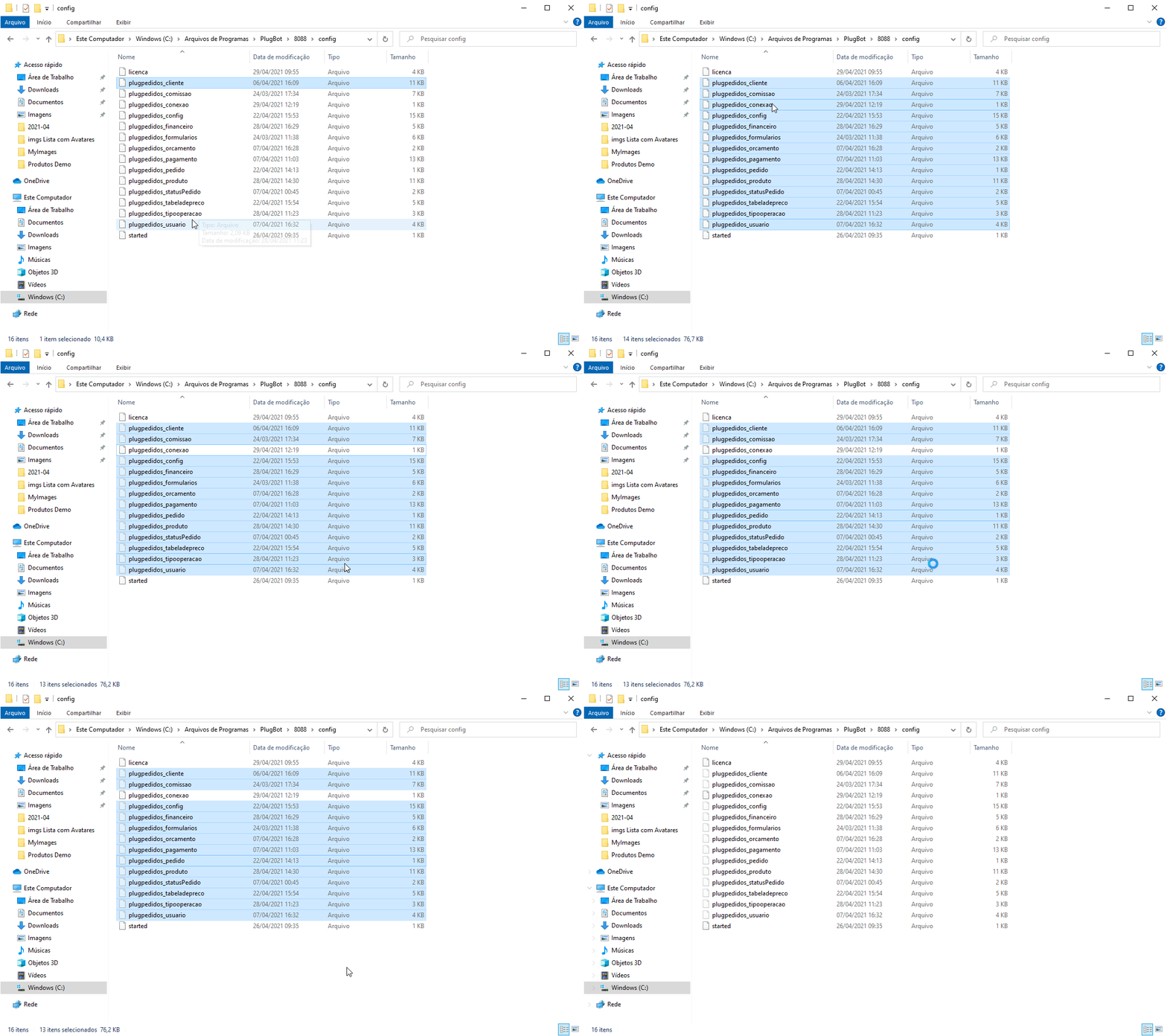
With this, simply access the config folder of the other PlugBot and paste the configuration files.
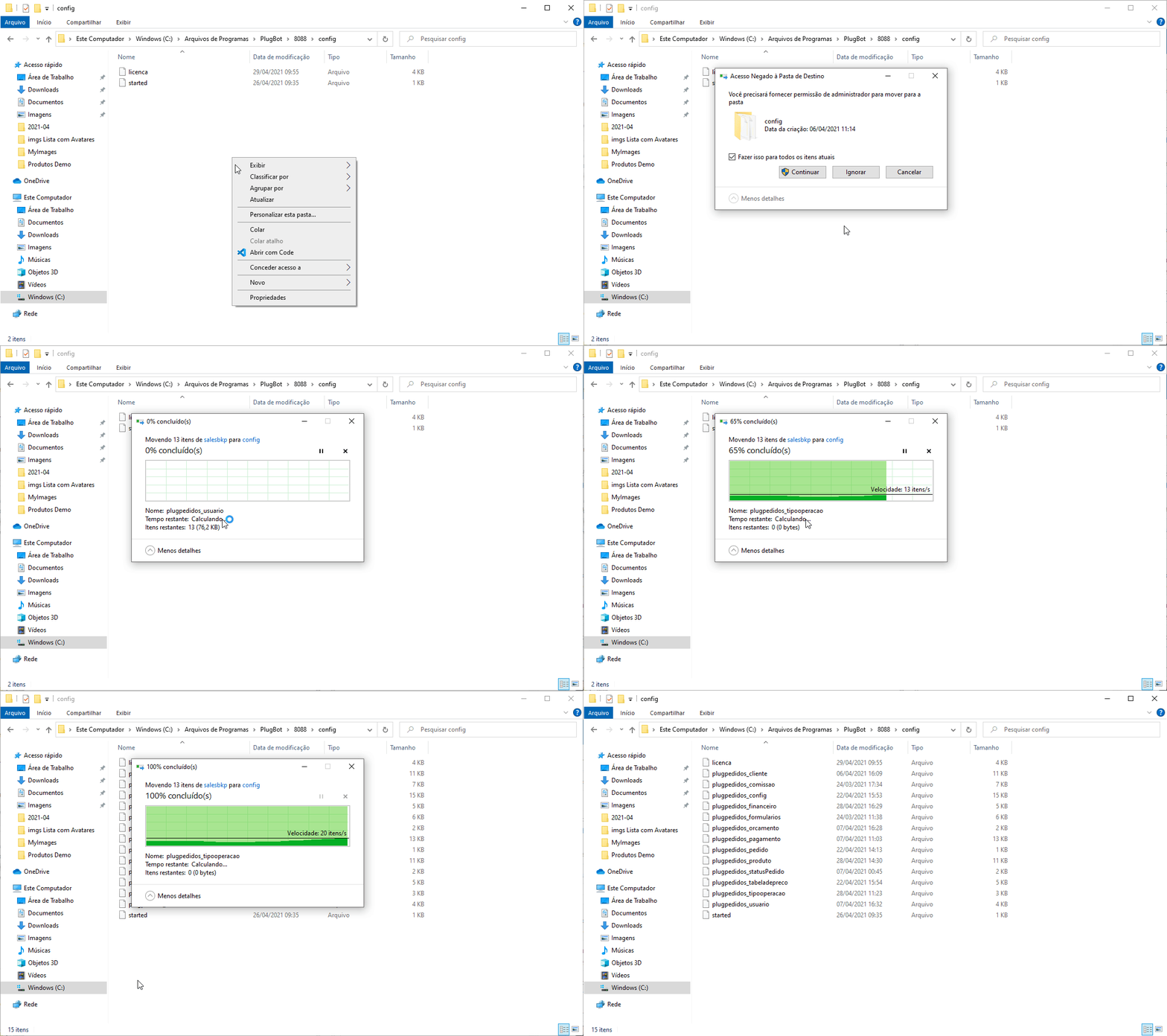
Once this is done, simply configure the PlugBot connection, and all settings will be replicated.