

6. How to check if the PlugBot service is running
First we need to understand that PlugBot is a Windows service, that is, it is a program that is loaded in the background.
There are two ways to check if PlugBot is running, the first is the most commonly used for Windows services, which consists of accessing the Windows “services.msc” screen:
Access the Windows Run menu by pressing Win + R and then type “services.msc” and press “Enter”

After that, look for the service called “PlugBot”
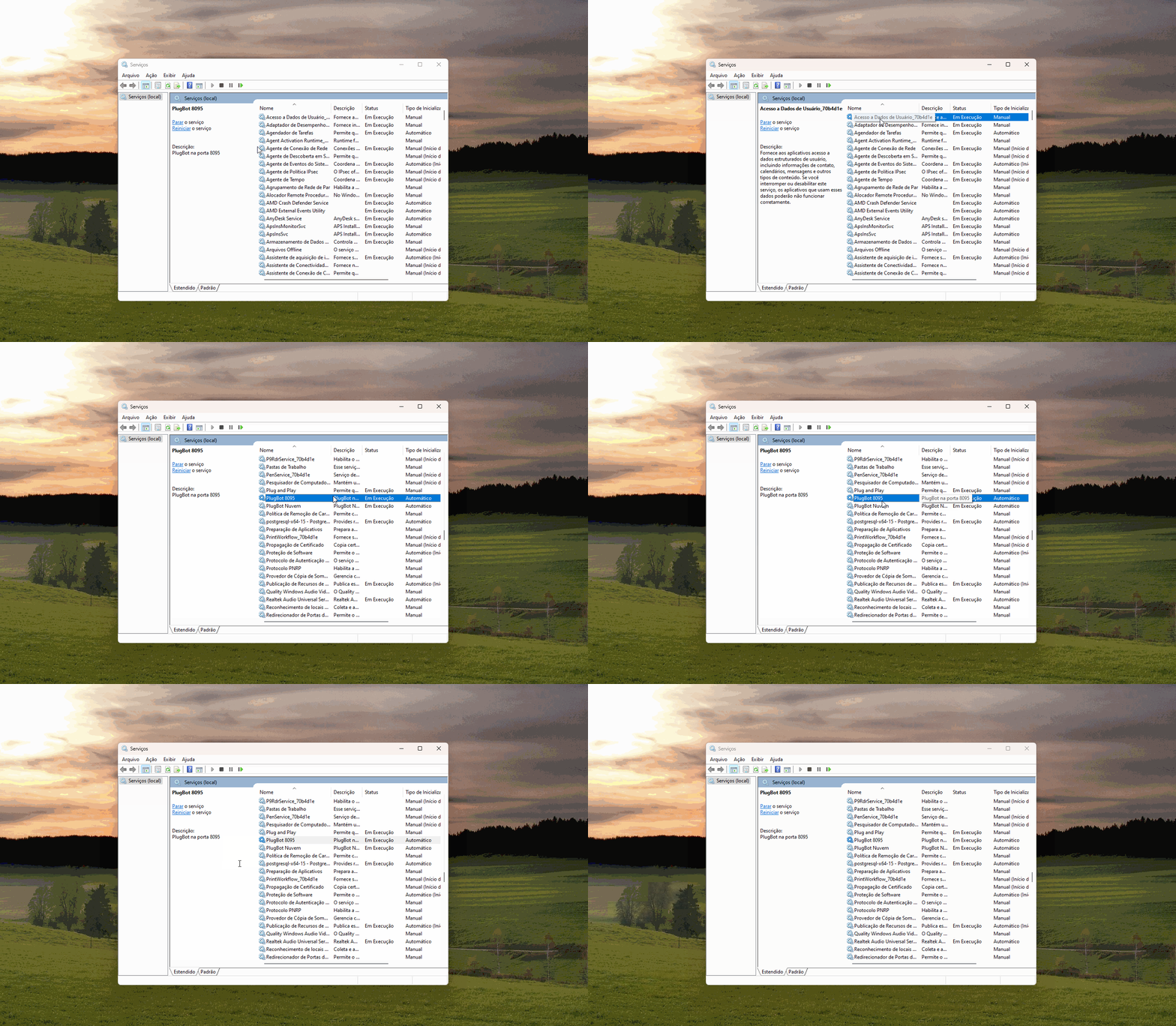
The “Status” column will describe the state of the PlugBot, whether it is running, stopped or starting.
Another way to check if PlugBot is working is through SYSTRAY, which is a program that runs in the Windows tray, see the image below:

If the “Start Service” button is available, it means that PlugBot is stopped.