How to map payment terms? (PlugSales)
Just as there are payment methods, in PlugSales we still have payment conditions, as the name suggests, this functionality determines conditions for your payment method, for example, For an order using a credit card, you can define how many times the order can be paid, thus defining the payment condition.
*It is not mandatory to map payment terms.
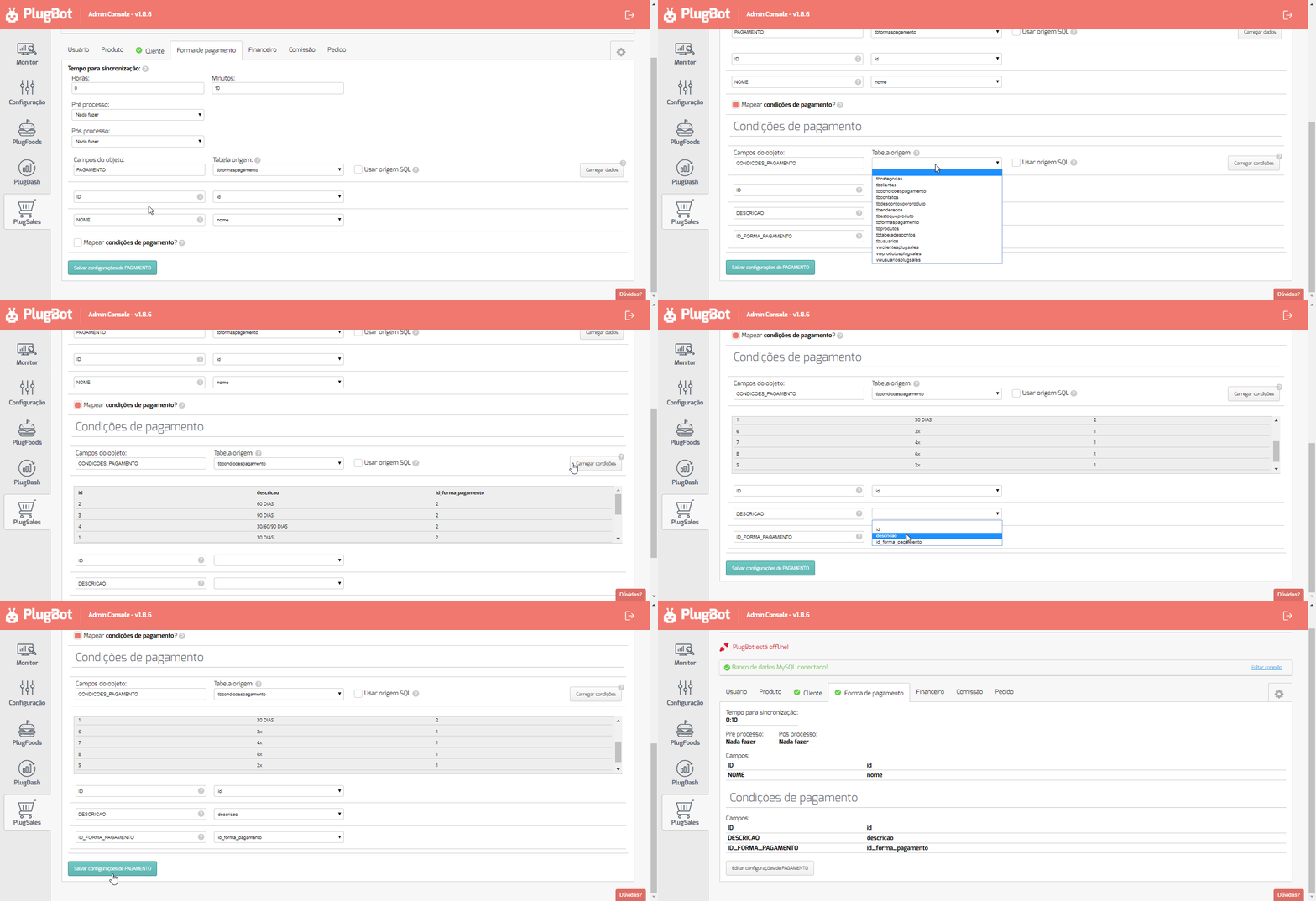
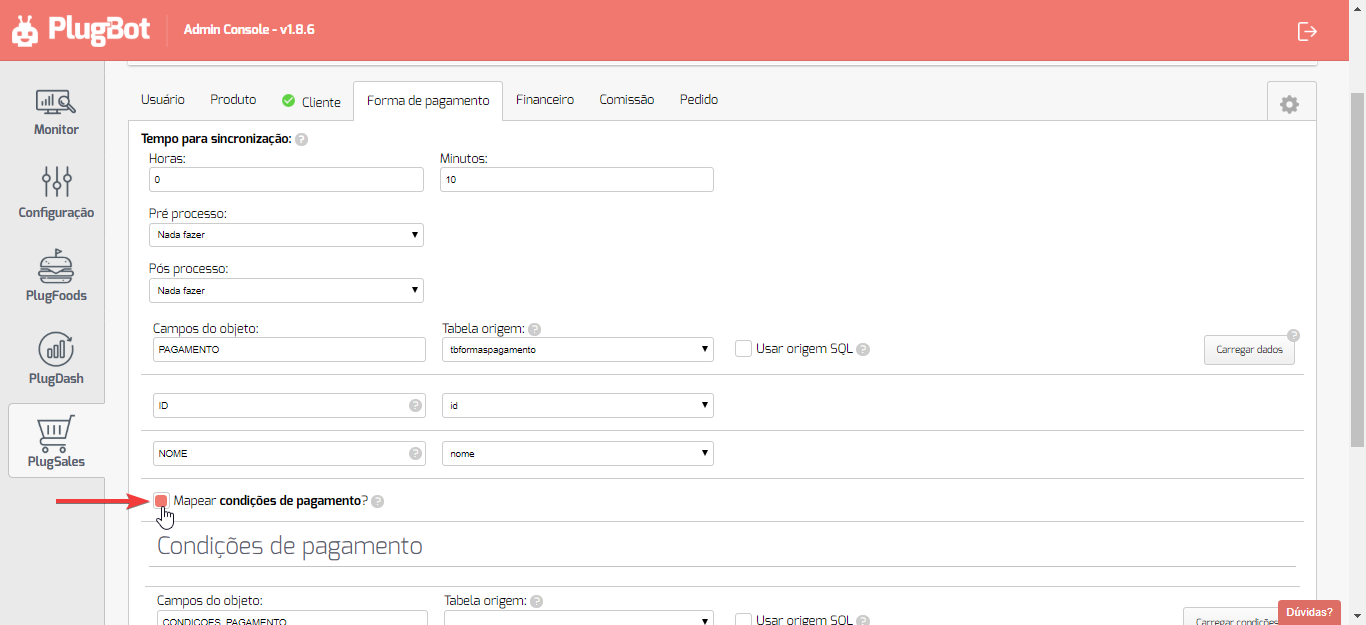
To enable the mapping of your payment terms, access the payment methods tab and select the option “Map payment terms”.
When selecting this field, a new template will be displayed, as shown in the image below.
After selecting the Source Tableor entering the SQL Source, click “Load data”.
With the data loaded, you must relate the result records with the fields required by PlugBot, the following fields being:
- ID
- Numeric field of type inteiro.
- This field will be returned in the order.
- This field is the payment condition identifier.
- Every payment condition must contain records in this field.
- There cannot be identical payment terms with ID registration.
- DESCRIPTION
- texto field with the description of the payment condition.
- This information will be displayed in the application.
- PAYMENT_FORM_ID
- Numeric field of type inteiro
- This field must contain the code/id of the payment method.
- Every payment condition must be related to a payment method.
- PAYMENT_PERCENTAGE(OPTIONAL)
- This field carries a value of type inteiro or real(float/decimal)
- The value of this field refers to the percentage of increase or discount applied to the total order according to the related payment condition.
- Example, in a payment method such as credit card, with the payment condition of 12 installments, you can add 10% in this field to be calculated in the total order.
After selecting the Source Tableor entering the SQL Source, click “Load data”.
With the data loaded, you can begin the field mapping process, following the instructions for each field.