

How to map options to products? (PlugSales)
To map the options, in the products tab, select the option “Mapoptions”.
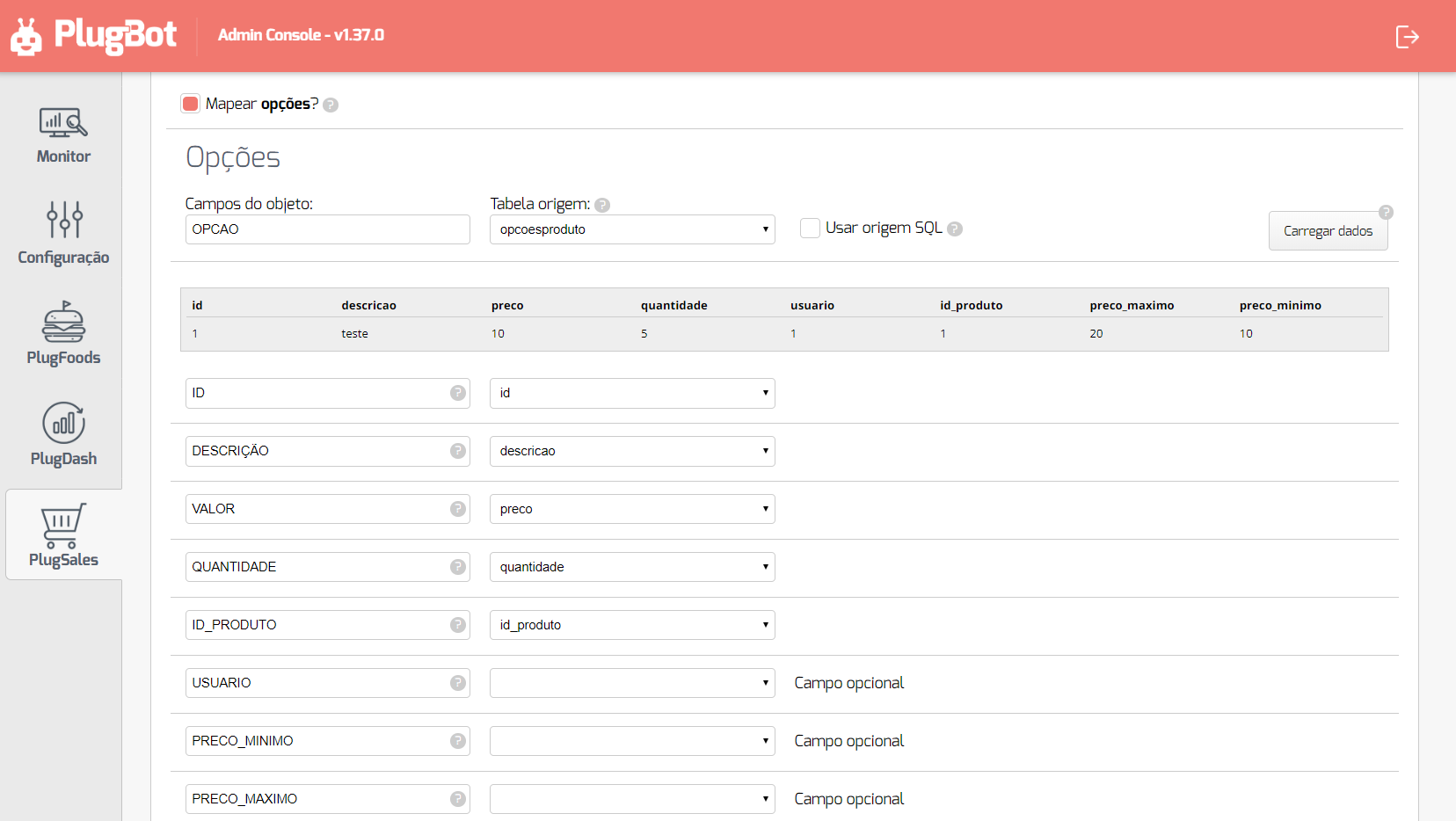
After selecting the Source Tableor entering the SQL Source, click “Load data”.
With the data loaded, you can begin the field mapping process, following the instructions for each field.
For each record the following fields are required:
- ID
- Numeric field of type inteiro that identifies the option.
- DESCRIPTION
- texto field with the option description. Examples: Box with 6 units, Box with 12 units.
- PRICE
- Numeric field of type real with the price of the product when related to this option.
- QUANTITY
- Numeric field of type inteiro with the quantity of the product when related to this option.
- PRODUCT_ID
- Numeric field of type inteiro that identifies the product related to this option.
- USER
- Numeric field of type inteiro that identifies the user related to this option.
- MINIMUM_PRICE
- Numeric field of type real with the minimum value that can be assigned to the product when related to this option.
- MAXIMUM_PRICE
- Numeric field of type real with the maximum value that can be assigned to the product when related to this option.