

How to use the customer blocking situation (PlugSales)
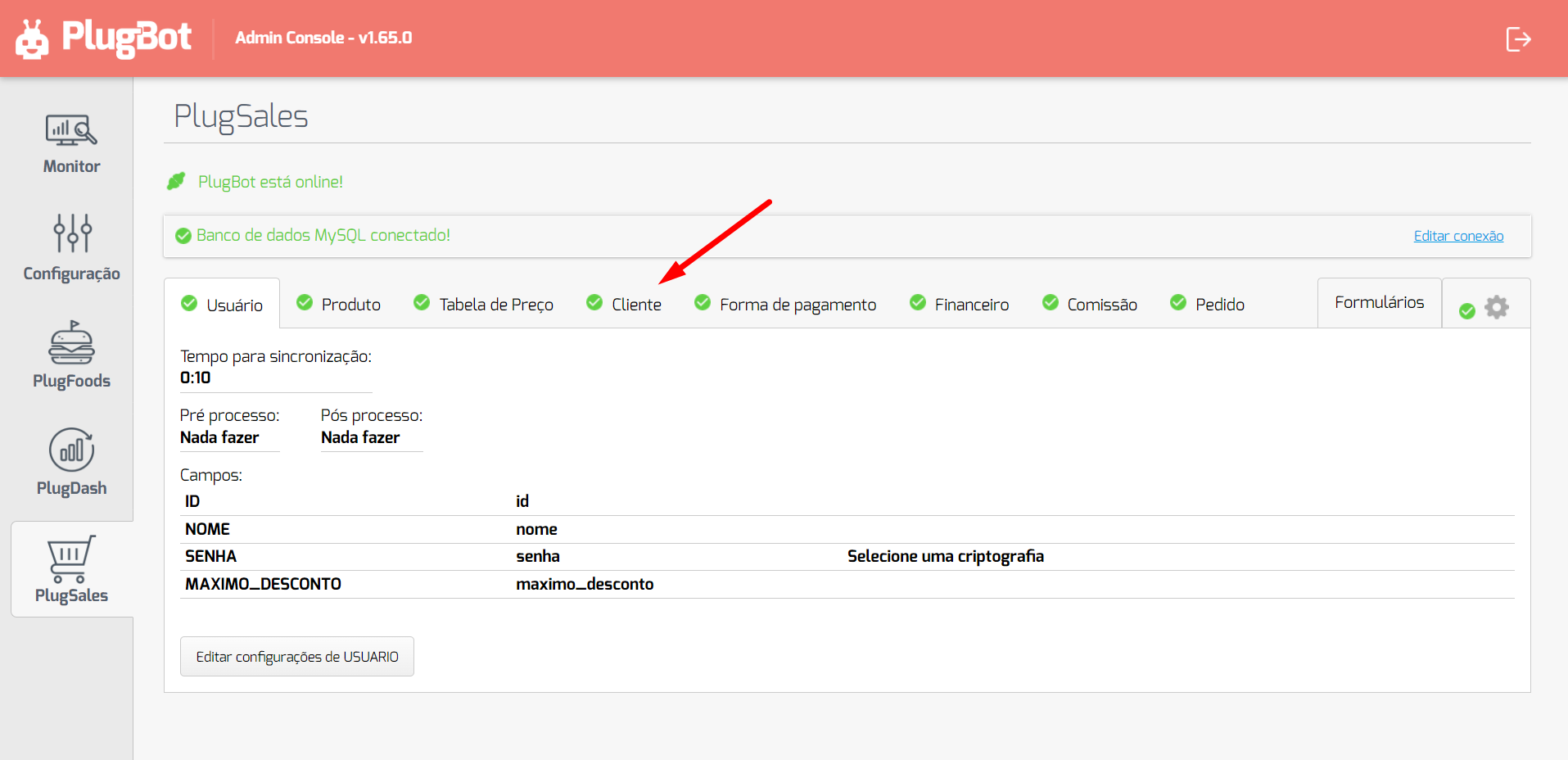
To use the blocking situation, you must have a field in your bank, referring to this situation, then go to the customers screen and link this field:
Then we link your bank column with the “Status” field:
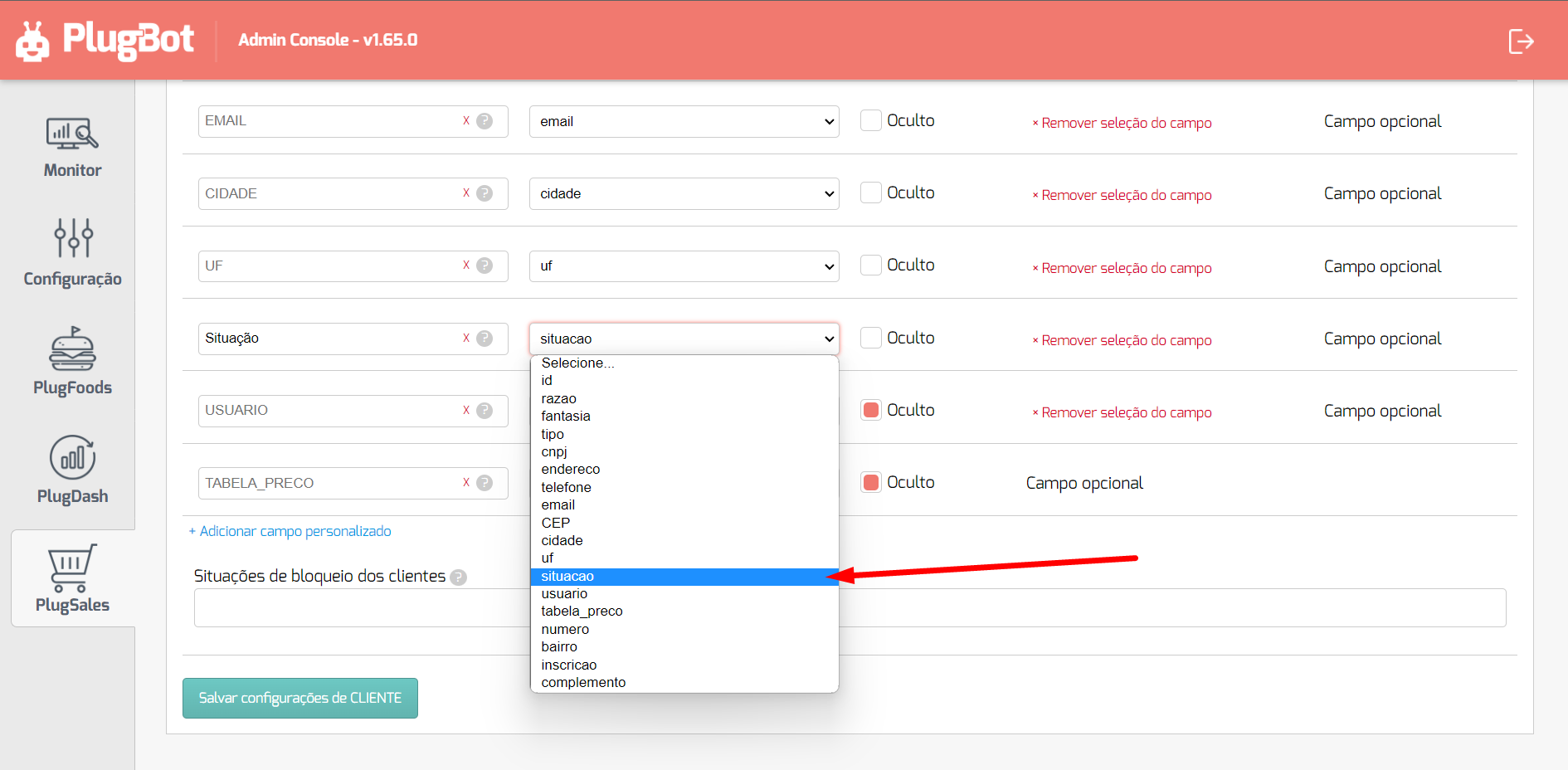
So we need to list what results PlugBot should expect to block customers, in this case it is in the “Customer blocking situations” field.
This value will be used as a reference so that the application does not allow adding orders for customers who are in a blocked situation.
Example: If the customer has an INACTIVE record in the SITUATION field and this is a blocking situation, the customer will be blocked for orders.

See some examples of blocks:
- INACTIVE
- UNDER ANALYSIS
- INACTIVE, BLOCKEDNote: in case of more than one situation, you must separate them with a comma and without spaces.Note: indifferent to upper and lower case letters, that is,Inactive and INACTIVE are the same thing.
With all fields mapped and configured, click “Save CUSTOMER Settings” at the bottom of the screen.