

3. How to Sync PlugSales Data
This article explains how to synchronize data in PlugSales, ensuring that the application receives the most up-to-date information, such as orders, customers and other integrated data.
What you will see:
Section titled “What you will see:”How to synchronize data
Section titled “How to synchronize data”To synchronize data in PlugSales, there are two ways:
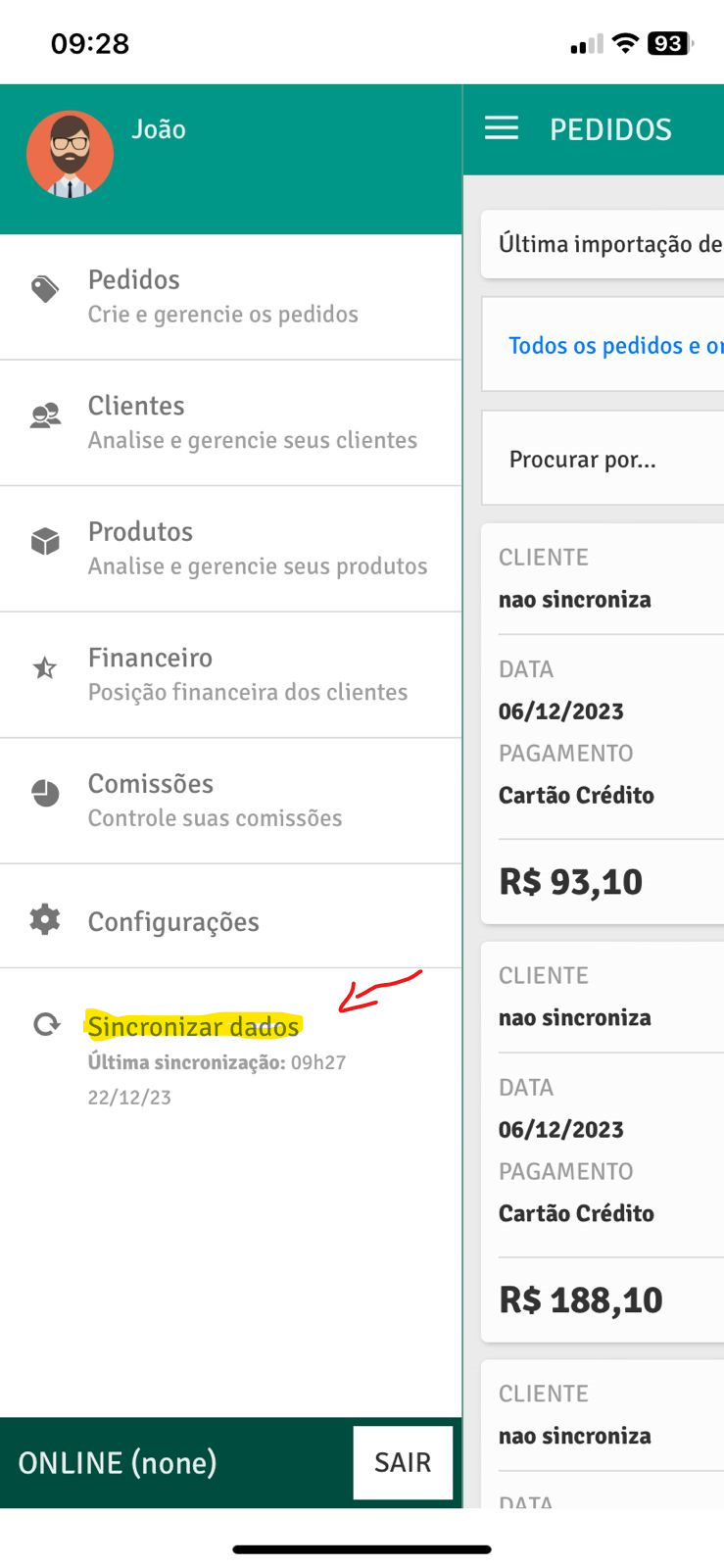
- Through the side menu
In the application’s side menu, click on the “Synchronize Data” option.
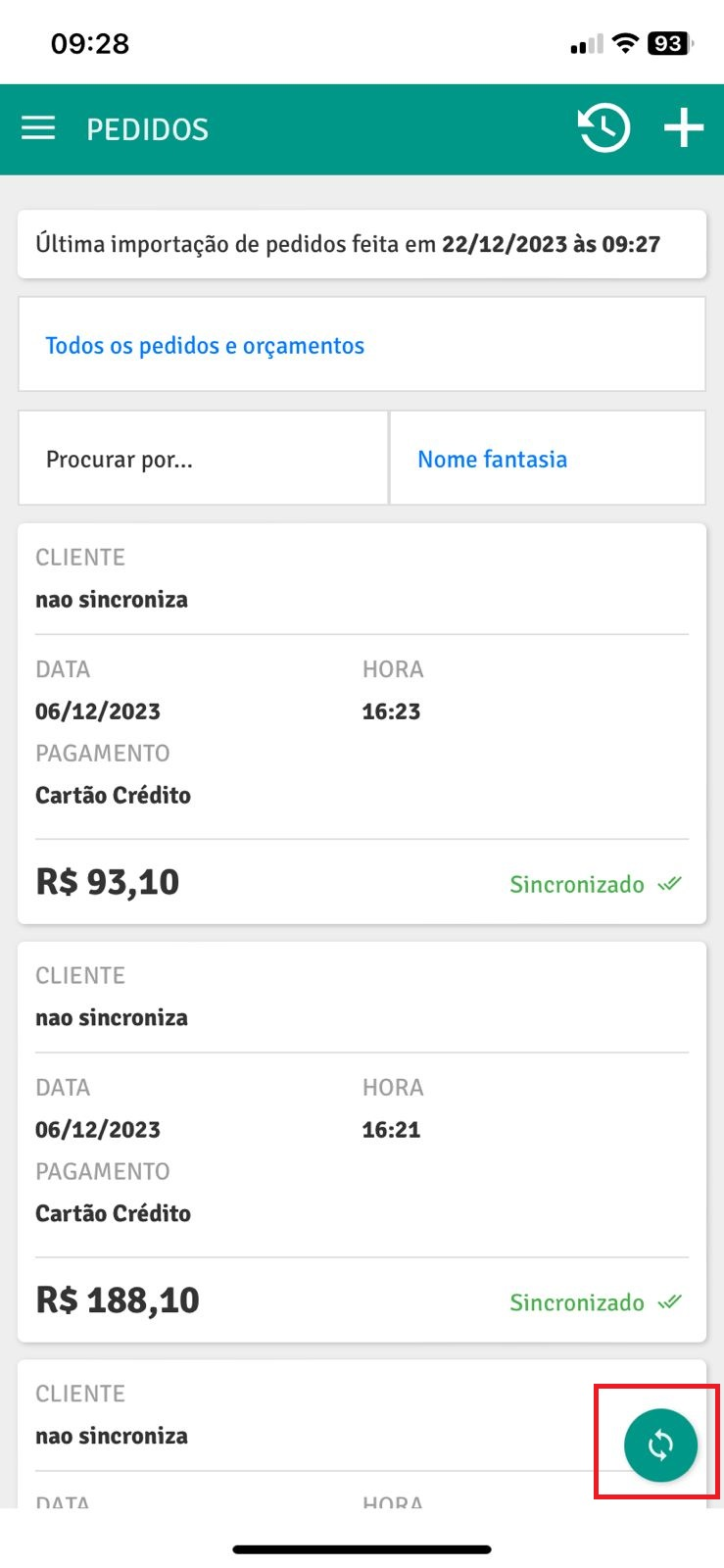
- Through the orders tab
In the “Orders” tab, click on the synchronization icon located on the screen.
Important
Section titled “Important”Both options perform the same action, resynchronizing data and bringing new, updated information to the application.
If you have any questions, we are available to help 😊