

4. Identifying and fixing errors in PlugSales
This article aims to explain how to identify and fix the string larger than allowed error during integration.
In this article you will see:
What does this error mean
One of the most common errors in integrations is the string being longer than allowed.
Generally, it occurs when the insert query does not properly process the values before sending them to the database. When a field receives an invalid value or value greater than the size allowed in the base, the system returns messages such as:
arithmetic exception, numeric overflow, or string truncation, string right truncation
This error indicates that the database was unable to insert the information, as the value received exceeds the character limit defined for that field.
How to check for possible errors
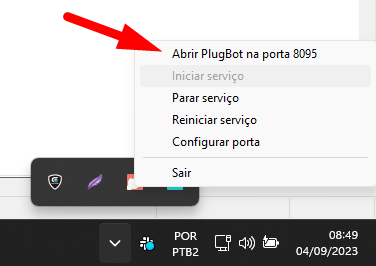
To identify this type of error, you need to access the PlugBot monitor.
Accessing PlugBot
Section titled “Accessing PlugBot”Open PlugBot in your browser.
Then access the Monitor screen.
Event: displays messages informing what PlugBot is currently executing.
Plug: identifies the source of the event being processed.
Using this information, it will be possible to view errors that occurred during synchronization and identify at which stage of the integration the problem occurred.
Error example
A common example is the ER_DATA_TOO_LONG error.
This error occurs when a database field has a character limit that is smaller than the value received by the application.
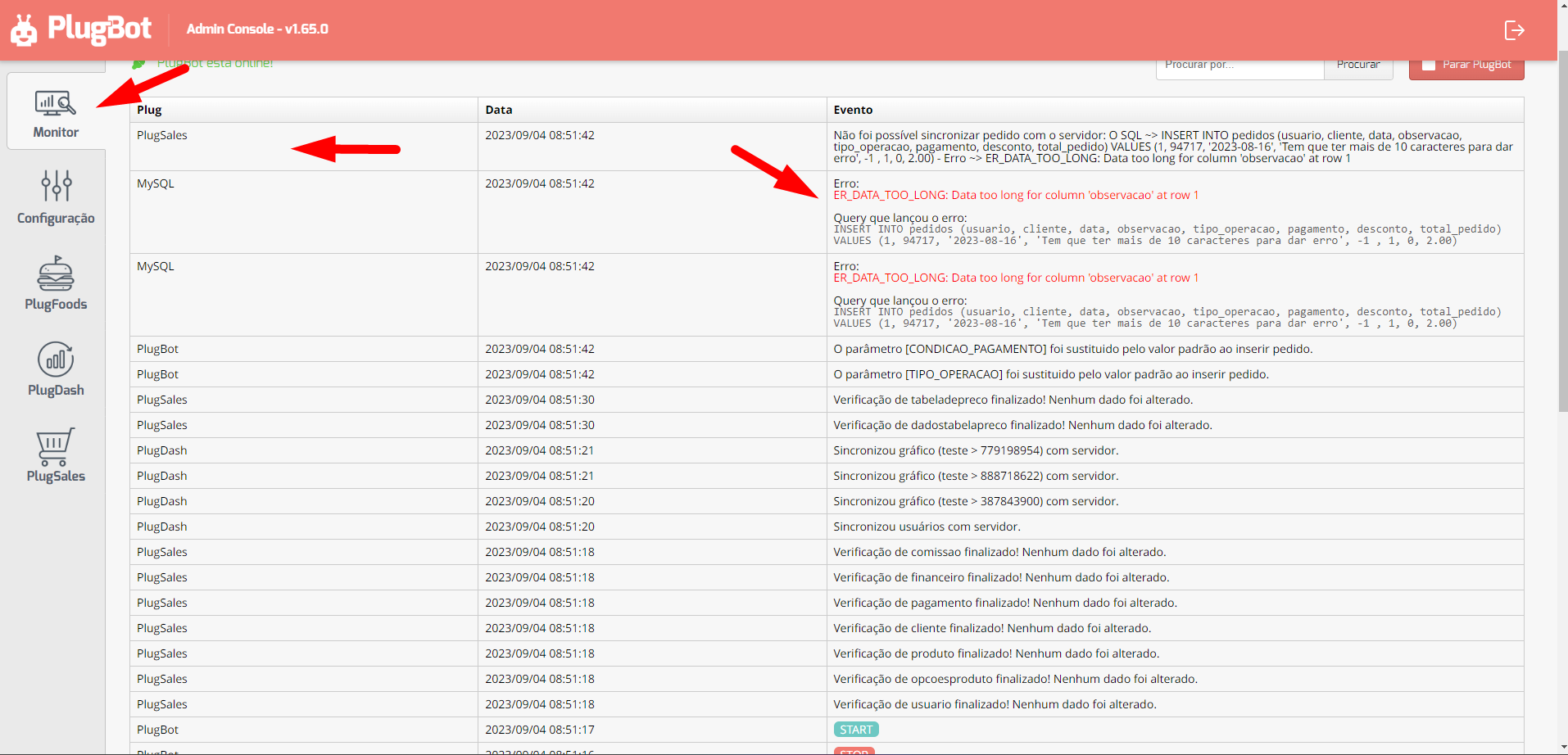
Practical example: The bank note field allows you to store only 10 characters. However, the information sent by the application has a greater number of characters. As the value exceeds the allowed limit, the database blocks the insertion and the error is displayed on the PlugBot monitor.
How to fix the error
There are two main ways to correct this type of situation:
Data processing in the query
Section titled “Data processing in the query”It is possible to process the data before inserting it into the database, using functions such as:
- CAST(): used to convert data types
- LEFT(): used to limit the number of characters sent to the bank
The function used will depend on the database and the structure of the insertion query configured in the integration.
Adjustment via support
Section titled “Adjustment via support”Another alternative is to contact PlugSales support and request to change the data in the field that presents the problem directly in the database.
This way, it will be possible to adjust the information that exceeds the permitted limit and allow the import of the registration to occur correctly.