

iOS Version 2.10.0 - 06/06/2025
This article presents a list of new features, improvements and corrections made available in version 2.10.0 of Demander iOS.
News/Improvements:
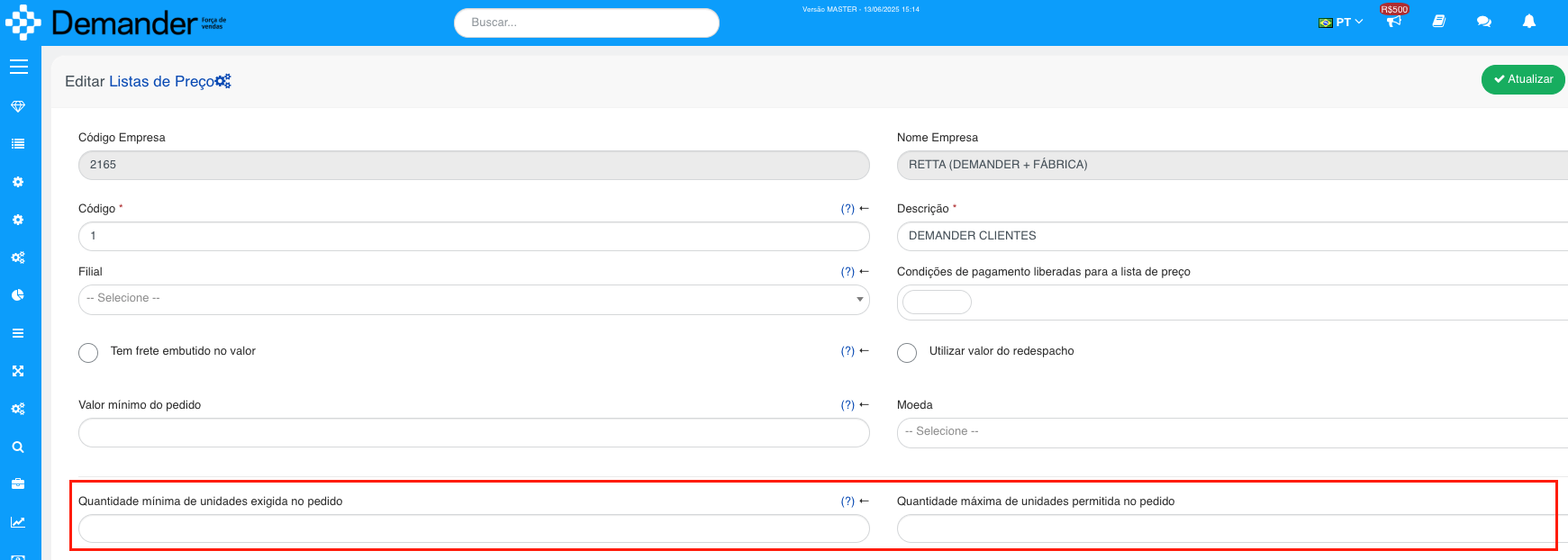
Minimum and maximum quantity per price list
Section titled “Minimum and maximum quantity per price list”- Situation: The need to block the sale arose when the quantity of units is less than the minimum or greater than the maximum specified in the price list.
- Solution: We implemented this configuration in the price list on Android, iOS and Demander Web.
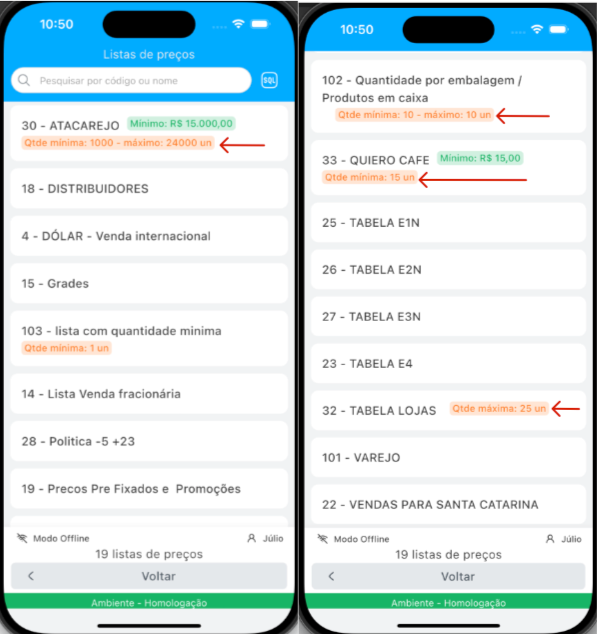
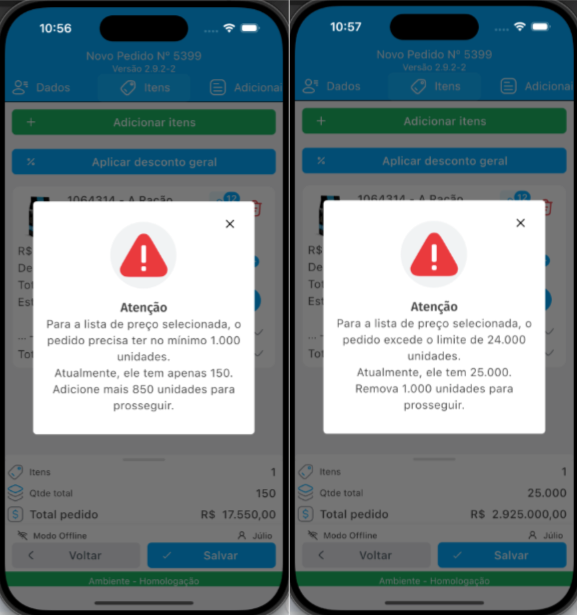
When values are defined in the application it is demonstrated this way.
Barcode search on the Demander App
- Product search by barcode has been implemented in the Demander App.

Fixes:
Order items did not load when opening the order tab through customer registration
Section titled “Order items did not load when opening the order tab through customer registration”- Situation: When creating an order through the customer orders tab, the order items were not loaded.
- Solution: We fixed the problem.
Person type field was not saving
Section titled “Person type field was not saving”- Situation: When registering a new customer and selecting Person Type as Individual or Legal Entity, the field was not saved correctly.
- Solution: We fixed the problem.
Button to save the order was not being displayed
Section titled “Button to save the order was not being displayed”- Situation: The device keyboard was stuck above the save order button.
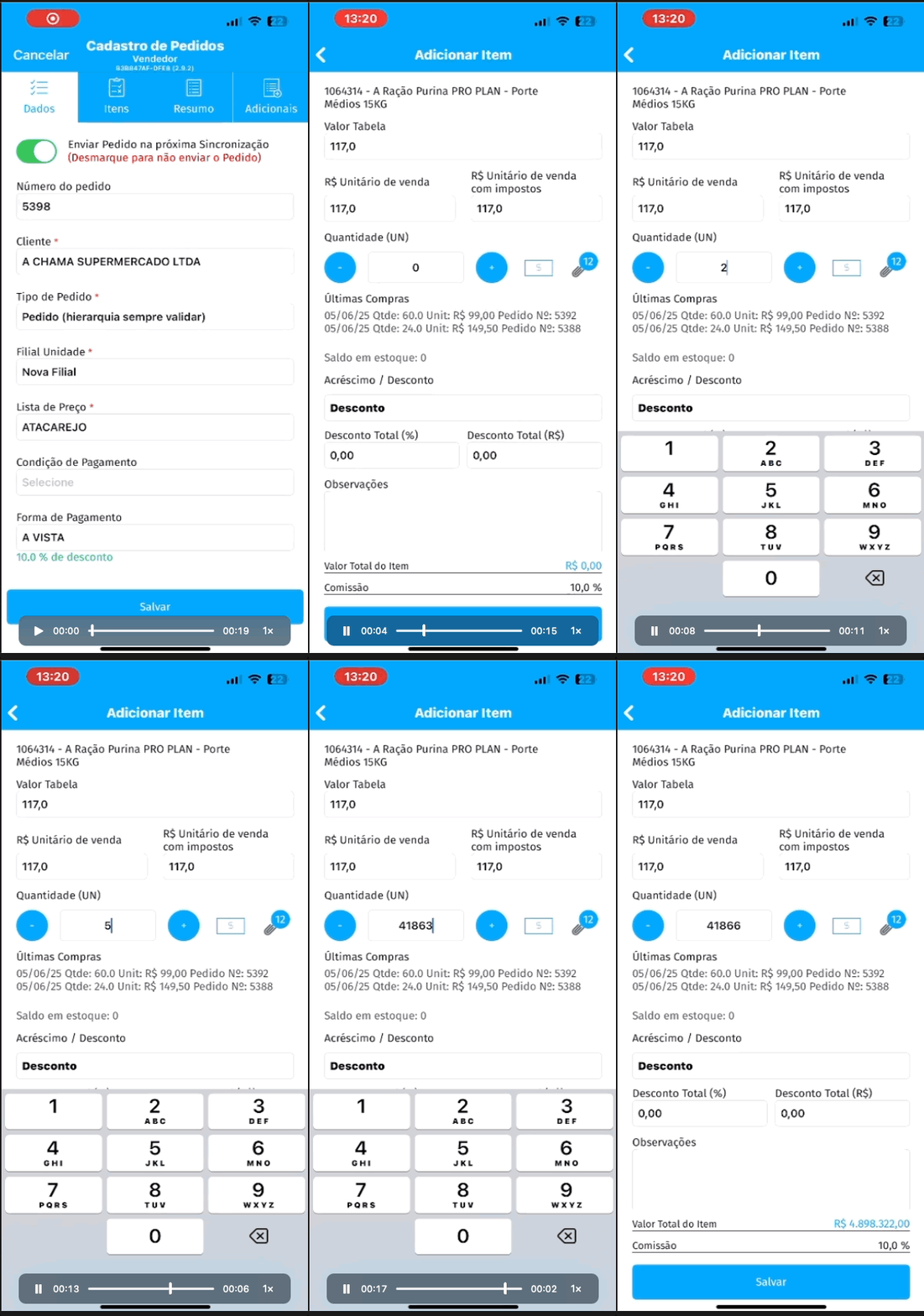
- Solution: We fixed the problem.
GO state registration (Goiás) validating incorrectly when saving
Section titled “GO state registration (Goiás) validating incorrectly when saving”- Situation: In iOS when the IE field is mandatory within the field requirements, an invalid IE message was displayed when trying to save (Update) the Customer’s registration.
- Solution: We fixed the problem.
Also check out the news on Demander’s other platforms: